ERP automation: when to use fixed rules vs. AI agents
Today, “automation” often gets used synonymously or interchangeably with AI and AI agents, which can make even a routine handoff sound risky. Could the system invent a delivery date or promise it to a customer before anyone checks?
When it comes to your manufacturing operations and your ERP, it’s understandable to be skeptical of the risks. What happens if the system makes the wrong decision (or a series of wrong decisions)? Will I even know, and how can I correct it?
This article will unpack the difference between fixed rules and AI agents, particularly in Bonx, the AI-native manufacturing ERP. It will also address various concerns around using AI agents in your operations and how to ensure that in adding efficiency, you’re not also putting your business at risk.
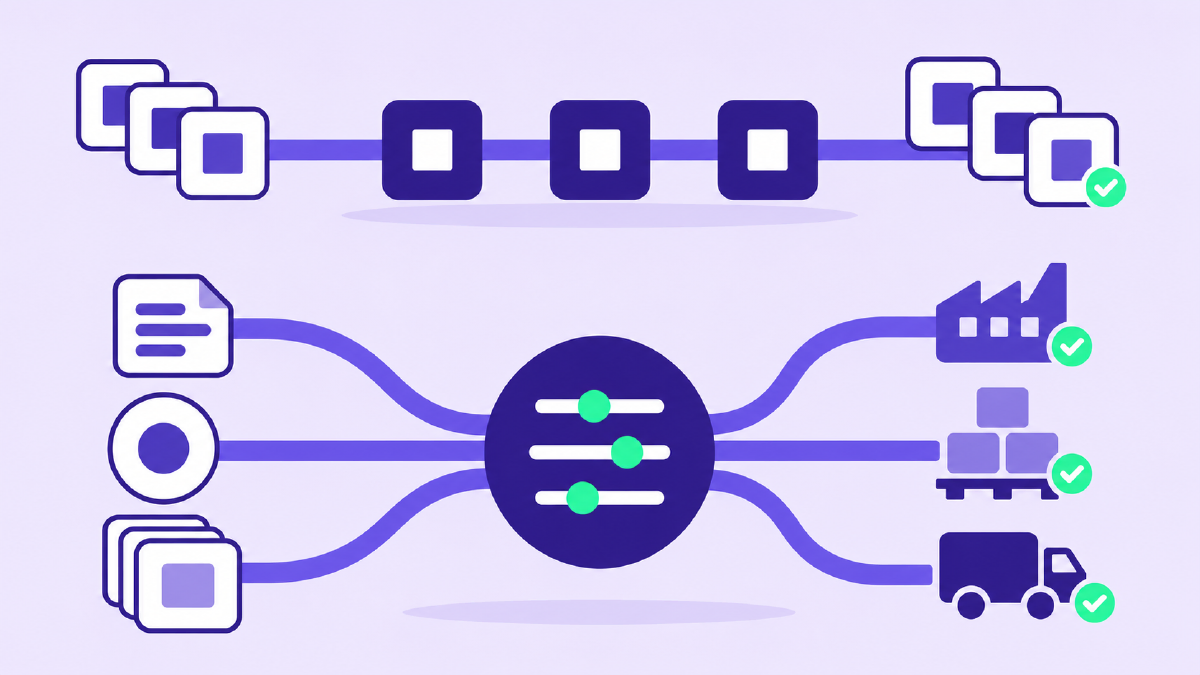
AI and AI agents excel at handling natural language, but they’re not always the right choice in workflows that require, for example, a numerical calculation, or a good old fashioned rules-based flow (if this, then that).
In general, you should use a fixed rule when you can define the trigger and the action in advance. In Bonx, for example, you can configure rules like these:
The draft invoice rule above is for teams that bill each shipment separately. When a shipment is processed in Bonx, the rule creates a draft invoice for the quantities in that shipment.
Say a food producer ships 60 cases today and 40 next week to fulfill one order. Bonx creates a draft for 60 cases when the first shipment is processed and another for 40 when the second is processed. The invoicing team can review each draft before validating or sending it.
At L'Atelier du Ferment, Sidely orders feed Bonx, and Bonx delivery notes pass to Pennylane. The customer story describes these connected handoffs. It provides no evidence that an AI agent interprets each order or controls the entire order-to-cash process.
AI and AI agents are ideally suited when the task calls for interpretation rather than a fixed action each time. For example in Bonx:
Take a customer request to change a delivery date. It’s more than a simple if/then rule; someone needs to identify the order, understand the request, and check the available context before preparing a response. An agent can help with that work while the person responsible for the order retains authority over a new delivery commitment.
In Bonx, managers can configure agents in natural language and attach them to a process step or business event. You might instruct an agent to identify the affected order and prepare a reply for review.
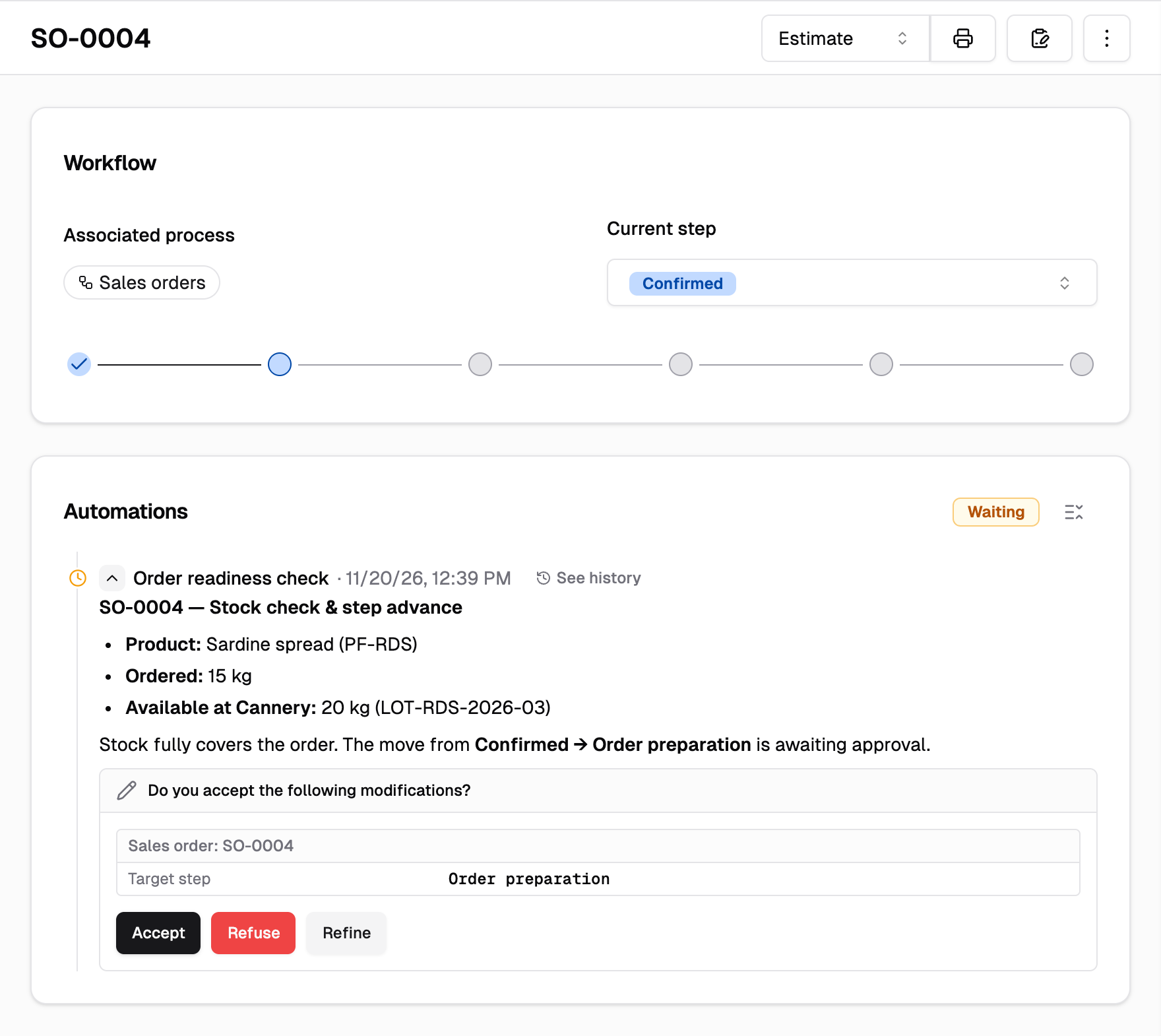
It’s worth noting that at Bonx, we always recommend our customers start in “manual mode” where a person remains in charge of approving commitments and taking any action (e.g., sending an email). For example in our October 29 food and beverage demonstration, I showed a sales agent in step-by-step mode. A person could check, accept, and edit proposed actions.
That way, people can see the agent’s proposed actions and refine them before the agent can actually take actions on its own, building improvements but also confidence in the agent. Some customers choose to always keep a person in charge of approving commitments, such as a new delivery date.
For more information about the access controls behind AI agents, see how Bonx controls what users and agents can see and do.
We talked about workflows set up with clear rules and AI agent workflows that need to interpret a situation and provide a response. For some repeatable workflows, Bonx can use AI once during setup to turn your plain-language instructions into a program. The program then applies the same rules every time it runs.
For example, say a food producer sends goods to a subcontractor for packaging.
Contrast this with the customer email example where the agent uses AI each time the workflow runs. Each message can refer to a different order or ask for a different change. The agent reads the message to work out what the customer wants, then drafts a reply for the order owner to review.
For the handoff you are evaluating, establish what executes the action, how a change to the instruction affects it, and how the team handles an execution failure. Fixed rules and AI agents can each perform part of the same sales process, with people approving the decisions that remain theirs.
For more on adapting workflows after go-live, see AI workflow automation in a manufacturing ERP.
Bonx not only provides the tools to automate and leverage AI agents to make your operations more efficient, but also to keep a human in the loop when required and to fully understand your operations even when there is an automated component.
For example, in Bonx you can:
If you’re ready to start automating more in your operations, book a personalized Bonx demo. We’ll be happy to talk about the output your team expects and the exceptions that currently need a person and that could leverage AI.

Contact us
So were we. That's why we built Bonx, the AI-native manufacturing ERP.