From customer order to invoice: how Bonx hands off to accounting

Manufacturers are often sold the idea that an ERP should cover every function in the company: sales, purchasing, inventory, production, quality, logistics, finance, reporting, and more. At Bonx, we take a different position.
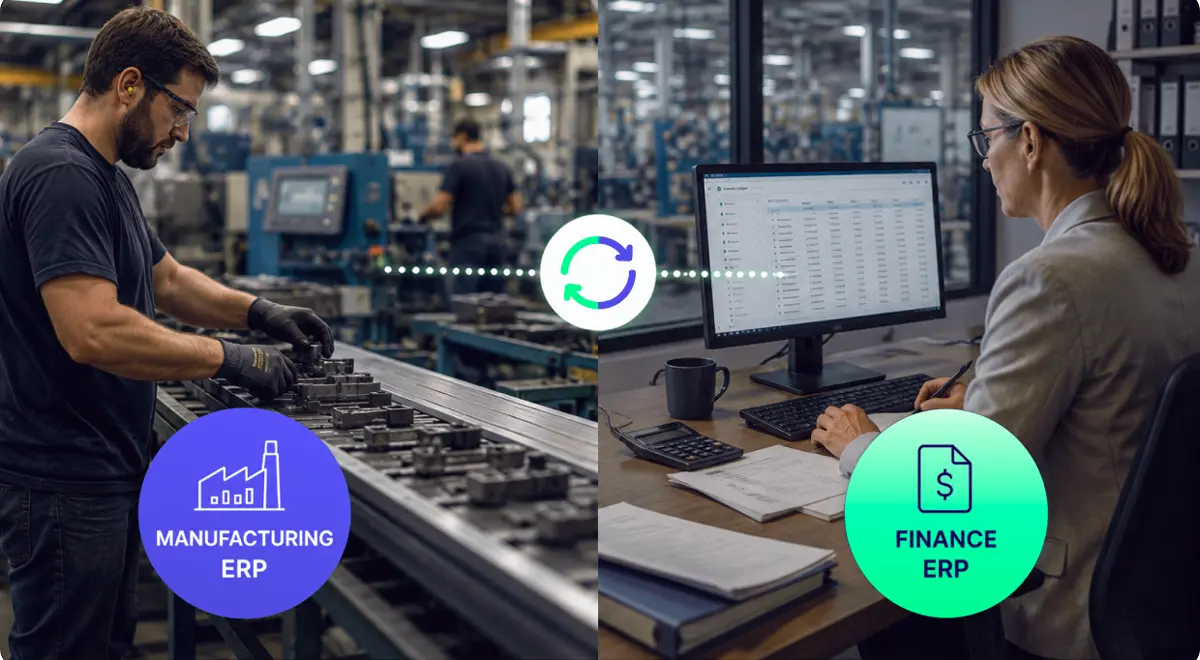
Bonx is an AI-native manufacturing ERP, but we are not an accounting or finance ERP. In fact, we strongly believe finance ERP and manufacturing ERP should stay separate because they do fundamentally different jobs. And unfortunately, when one system tries to do both, most often the operational product is the one that suffers, which is why we built Bonx.
In other words, what happens with all-in-one and legacy ERP is that the software gets designed around financial control first, then the factory has to fit into that structure. That is how manufacturers end up with technically complete ERP modules that operators avoid, planners work around, and finance still has to clean up later.
But the next logical question is: if Bonx is not an accounting ERP, what happens when a customer order becomes an invoice? The short answer is that Bonx generates the invoice, and your accounting tool books it. This article unpacks how Bonx handles invoicing and hands off to accounting.
Practically speaking, Bonx generates an invoice from a sales order. One order line becomes one invoice line to keep it reconciled to the order total, down to the cent. Invoices are stored and downloadable, most commonly as a PDF. For France and Italy-specific formats, see the e-invoicing section below.
That means the invoice is generated from the commercial and operational record already used by sales, operations, production, and logistics instead of being rebuilt in another system. This leaves less room for error, as re-keying into another tool makes it easy to miss things like price changes, discounts offered, deposits already made, and more.
Behind the scenes, Bonx manages the invoice lifecycle: draft, validated, closed, and cancelled:

In France and Italy, an invoice can't just be a PDF anymore, and each country requires a specific electronic format. Bonx produces the one your country expects, so nobody has to rebuild the invoice elsewhere to make it compliant.
For an Italian seller, Bonx creates the FatturaPA file. For a French seller, it creates a Factur-X invoice, which is an ordinary PDF your customer can read along with the required data built into the same file.
Either way, Bonx makes sure the document is valid before it goes anywhere, so an invoice can't be turned away over a formatting problem. From there, you either download it or let the integration you've set up carry it onward, and Bonx shows you what happened to it once it's gone.
A clean and simple demo invoice is easy, but invoicing usually gets harder around deposits, balances, and partial commercial flows. Orders can also change after confirmation, and some shipments require corrections, which complicates the invoicing process. In addition, many manufacturing companies sell through mixed commercial patterns where some customers pay deposits, some need a proforma before payment, and there is no single standard invoicing process.
All this means people often end up checking totals and reconciling data by hand. This is exactly the kind of manual work Bonx was built to help with.
Bonx supports standard invoices, deposit invoices, balance invoices, credit notes, debit notes, and proforma invoices. If a customer has paid a deposit, the balance invoice automatically deducts the earlier deposit so the customer is not billed twice. Bonx also prevents an order from being over-invoiced.
The same intelligence layer that can help reduce errors and manual work across Bonx operational workflows can also work on invoices while they are still drafts.
A Bonx AI agent can read a draft invoice, compare it with the sales order, and help catch issues before validation: a missing deposit deduction, a VAT or tax inconsistency, a payment term that does not match the customer setup, or an invoice line that does not reflect the order. Depending on how the workflow is configured, the agent can propose the change for review or apply it before the invoice is validated.
Once an invoice is validated, it becomes a legal record with a locked number and saved accounting labels. The intelligence layer is there to help teams get the invoice right before that point, not to quietly rewrite official invoices after the fact.
When an invoice is validated, Bonx prepares the accounting labels that travel with it. Those labels tell the accounting system where the invoice should go, including which sales account to use, which VAT code or taxes apply, and which customer account it belongs to. Bonx saves those labels at validation so the invoice remains stable later, even if the company changes its accounting setup.
Bonx still does not post anything to the ledger. It sends a ready-to-book invoice to the accounting tool, and the accounting tool creates the journal entry.
In practice, Bonx prepares a clean, legally numbered, correctly coded invoice. Your accounting tool, whether that's QuickBooks, Xero, NetSuite, Odoo, Pennylane, Sage, or another finance system, receives it and books it.
For more examples of how Bonx connects with the rest of a manufacturer's stack, read common Bonx integration scenarios for manufacturing teams.
Bonx does not replace your accounting system, and it should not be evaluated as if it were trying to.
For example, Bonx does not:
Supplier invoices are also on the accounting side of the boundary. Bonx has purchase orders, but it does not author supplier invoices as native Bonx documents in the same way it generates customer invoices. Supplier invoices may be imported from the accounting tool and matched to purchase orders, but the accounting tool remains the source for that supplier invoice record.
Again, this boundary is deliberate. Finance keeps the system it needs for audit, reporting, reconciliation, tax, and close. Bonx gives that system a cleaner input from operations.
Imagine Hudson Botanics, a New York-based cosmetics manufacturer, sells 300 units of a face serum to a retail customer. The customer pays a 30% deposit when the order is confirmed, then the remaining 70% after the goods are ready to ship.
Hudson Botanics uses Odoo as its accounting system, which is integrated with Bonx so that validated customer invoices can be sent from Bonx into Odoo without someone re-entering the invoice by hand.
The sales order gets sent from the company's customer relationship management (CRM) system to Bonx. The two systems are integrated. The order includes the customer, article, quantity, unit price, payment terms, and delivery details. From there, production uses Bonx to plan and produce the batch. Inventory is updated as components are consumed and finished goods become available. Logistics prepares the shipment.
But before production starts, Hudson Botanics needs to invoice the deposit. Bonx generates a deposit invoice from the sales order, assigns the legal invoice number when the invoice is validated, and produces the PDF. Bonx also saves the accounting labels that travel with the invoice, such as the sales account and customer account.
Once validated, Bonx exports the deposit invoice to Odoo as a customer invoice. The integration links the Bonx customer and products to their Odoo records, keeping the originating Bonx sales order as the invoice origin. Odoo then posts the invoice to the ledger.
When the customer pays the deposit, Hudson Botanics can mark the deposit invoice as closed in Bonx. That tells the operational team the deposit has been paid and the order can keep moving. Odoo remains the financial system of record: it matches the payment to the bank transaction, clears the receivable, and keeps the books accurate.
A few weeks later, the 300 units are ready to ship. Bonx generates the balance invoice from the same sales order. It starts from the order total, deducts the deposit already invoiced, and prevents the team from billing above the order value.
Again, Bonx validates the invoice, assigns the legal invoice number, generates the invoice document, saves the accounting labels, and exports the invoice to Odoo. Odoo posts the balance invoice to the ledger and manages the receivable.
When the customer makes the final payment, Hudson Botanics can mark the balance invoice as closed in Bonx. Operations can see that the customer has paid, while finance still uses Odoo for bank reconciliation, reporting, and close.
For Hudson Botanics, the split is practical because sales and operations do not rebuild invoice data by hand, and finance does not lose control of the ledger or the bank reconciliation. The customer receives proper deposit and balance invoices, and Odoo receives records that already reflect the order, the deposit, the final amount due, and the account mapping.
Bonx is an AI-native manufacturing ERP because manufacturers need an operational system that follows the work from customer order through production, stock, quality, internal logistics, and invoicing. Invoicing belongs in that flow because the invoice should reflect what was sold, produced, shipped, deducted, corrected, and validated.
Accounting belongs in the accounting system. The ledger, postings, reconciliation, financial statements, tax filings, and close should stay with the tool finance already trusts for financial truth.
Bonx produces the invoice, accounting books it. Manufacturers get a clean handoff from operations to finance without having to settle for an all-in-one system that doesn't work for everyone.


Contact us
So were we. That's why we built Bonx, the AI-native manufacturing ERP.