What does real-time production monitoring really look like?
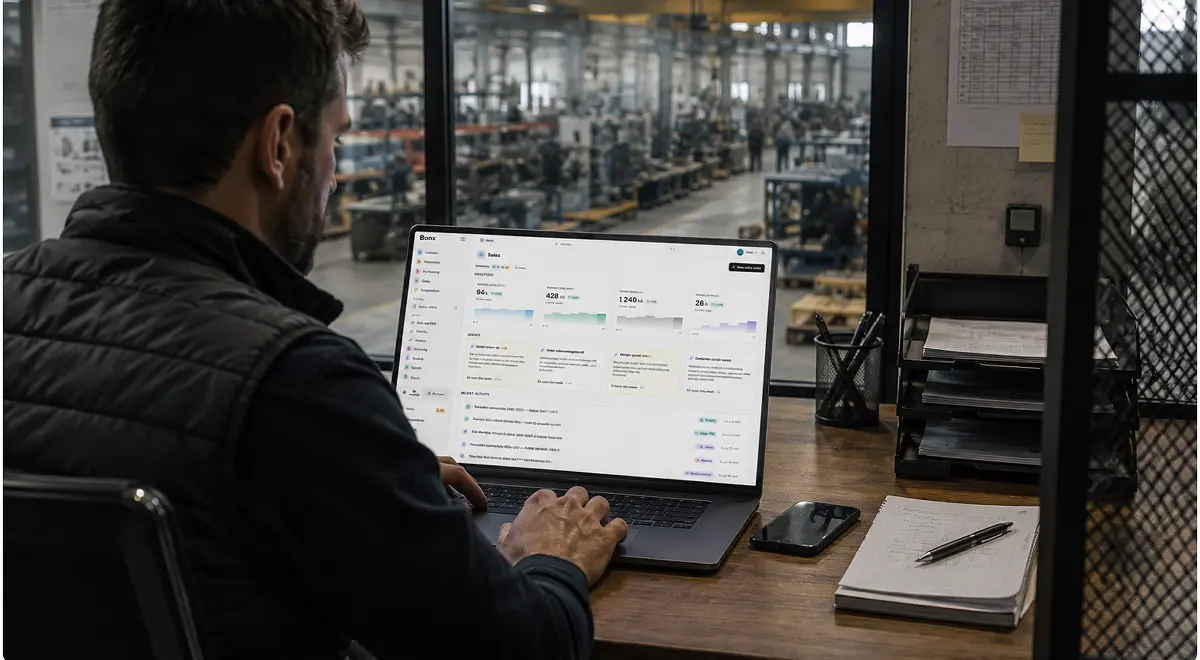
Imagine you had a system from which every operator could start their day. It reflects not only what happened before the operator arrived and what is happening live in the factory, but also shows next recommended actions, including which decisions and steps the team should take during the day to keep things running smoothly.
For additive manufacturer Something Added, which produces 3D-printed footwear components, this sophisticated system isn’t a dream. It’s reality. Each day, operators run their shift from a central system that shows not only what changed in the factory, but also exactly what that change affects, who needs to act next, and even what those suggested next actions could be.
Overall equipment effectiveness (OEE) software, manufacturing dashboard software, and legacy enterprise resource planning (ERP) systems have promised and failed to deliver real-time production monitoring for years. That’s because an effective system is ultimately not just about monitoring; it’s also about action.
This article will explore the gap between software promise and reality as well as how you can start bringing true real-time production monitoring to your operations.
Unfortunately, most systems available to manufacturers today are either not truly real time, or they don’t suggest follow-up actions based on data, putting the onus on people and teams to translate trends into action. In the worst of cases, they are neither real time nor action oriented.
For example, legacy ERP usually records production only after someone declares it. And a manufacturing execution system (MES) may capture machine or operator events, but planning, inventory, quality, purchasing, and customer impact often sit somewhere else, limiting the potential for action.
OEE software tools and business intelligence (BI) dashboards are most commonly, and falsely, we believe, billed as providing real-time production monitoring, so it's worth diving a bit deeper into these two.
OEE measures how effectively equipment is used by combining availability, performance, and quality, and it is one of the clearest ways to see where production capacity is being lost. When OEE sits inside real-time production monitoring, it can be extremely useful.
However, it is one of the manufacturing KPIs that is easiest to put in a weekly report and use to explain why the last plan failed without helping the team take action in real time on this week’s plan. If OEE drops, the team needs to know why as soon as possible in order to make adjustments.
Availability may have suffered because of unplanned downtime, a long changeover, missing labor, or material that was not ready. Performance may have suffered because the line ran below standard speed, micro-stops accumulated, or the routing was unrealistic. Quality may have suffered because scrap, rework, or first-pass failures consumed capacity the plan still believed was available.
OEE software is useful when it separates those losses and connects them to the operational context behind the number, helping production, maintenance, quality, and planning see where capacity is disappearing and what they should do differently.
It must be said that real-time production monitoring is not the same thing as a BI tool and usually cannot be accomplished with a BI tool alone.
To be sure, BI is critical for analyzing trends, comparing performance over time, and building management reports. It is often the right software when the question is, "What patterns should we understand?"
When it comes to real-time production monitoring, the question is rather, "What is happening right now, what does it affect, and who needs to do something?" In many factories, BI still depends on data being exported, cleaned, transformed, and interpreted outside the operational system, so by the time the report is ready, it’s too late to take action in real time.
Manufacturing dashboard software can sit in either camp. Some dashboards only display numbers from disconnected systems. Better dashboards live inside, or very close to, the operational system that runs production. In that model, the system behind the dashboard can answer the questions the team actually has without asking someone to export data and rebuild context somewhere else.
Real-time production monitoring means production data is captured close enough to the shop floor, and early enough in the process, to help the team act while the outcome can still change.
A report that shows yesterday's production variance can still be useful, but it is not real-time monitoring. A dashboard that updates only after someone cleans a spreadsheet is reporting, not operational control. A metric that reaches the supervisor after the order has already slipped is a record, not a signal.
In a real-time production monitoring system, shop floor events update the operational picture as work happens. For example, an operator declaration can update work order progress, a machine stop can affect availability, or a late material issue can change the next production sequence.
For some small and mid-sized manufacturers, all of this data exists, but the issue is that those pieces often do not move together fast enough. In this case, getting the right visibility in real time is the first step.
Real-time production monitoring usually brings production signals into one live operating view. Depending on the factory, that may include work order progress, line status, machine availability, output, downtime, quality results, scrap, rework, material shortages, blocked batches, and delivery risk.
On the other hand, many manufacturers already have some kind of production visibility. As we saw in the last section, visibility is the easy part, relatively speaking. For example, a dashboard may show that a line stopped for 40 minutes, that OEE fell below target, and that output is behind plan. But if the response still depends on a supervisor calling maintenance, checking stock manually, asking quality whether the batch is released, and messaging planning to see which orders are affected, the dashboard has only exposed the problem, not helped fix it.
The next step is action.
A useful real-time production monitoring system should connect the signal to the workflow around it. If a material shortage puts an order at risk, purchasing and planning should see the same operational context. If a quality hold changes available stock, the production plan and customer promise should reflect it. If the same downtime reason appears across shifts, the system should help the team see that recurrence without waiting for someone to investigate manually.
In other words, real-time production monitoring should not just show status, it should help the team answer questions like:
For example, at Something Added, when a machine reports what happened during a print job, the ERP, in this case Bonx, is automatically updated with the number of successful parts, failed parts, and failure reasons, then recalculates planning from the new reality. When an operator launches a machine, a ticket can be printed for traceability, the dashboard updates, and the production record follows the part through the next steps without asking the operator to manually enter that data. That action layer is what lets operators at Something Added work without an extra management layer checking every step.
This is the larger shift from a system of record to a system of action. A system of record tells the business what happened. A system of action helps the business prepare or perform the next operational move: assigning work, triggering an escalation, preparing procurement suggestions, generating manufacturing orders, surfacing exceptions, or asking for human approval.
For real-time production monitoring, that distinction is everything. The goal is less time spent reconstructing what happened and more time acting.
The problem with the term “real-time production monitoring” is precisely that it contains the word “monitoring,” which doesn’t necessarily mean “action.” That’s why at Bonx, we prefer the term “factory control tower.”
Because ultimately, it takes more than some screen at the center of the factory presenting real-time data. For example, Something Added shows the distinction clearly because their dashboard does not sit above the operation; it changes with the operation. If live data shows that a machine is starting to drift during a print job, the system can analyze the signal, open a digital ticket, and guide the operator toward the next action. The dashboard is just one surface of the control tower, but it is not the control tower itself.
The right real-time production monitoring software, or factory control tower, as we prefer to call it at Bonx, should fit the way production actually works. It should not require the shop floor to feed a dashboard that gives nothing useful back.
Start with data capture. Operators need a convenient way to declare progress, downtime, quality results, material consumption, and exceptions close to where the work happens. If the system creates extra admin for the people on the floor, the data will either arrive late or not at all, becoming too thin to trust.
Then look at context. A production signal should not live alone. The system should connect it to the work order, operation, work center, machine, material, batch, operator declaration, quality result, and customer order when relevant.
The system should also help the team separate signal from noise. Alerts are useful only when they point to something the team can act on. If every variance becomes a notification, people learn to ignore the tool. If the system can show which exceptions affect capacity, stock, quality, or delivery promises, the team can focus on the issues that actually change the day.
Finally, look at what happens after the dashboard updates. Can the same system assign work, start an escalation, support a quality decision, prepare a procurement suggestion, update planning, or show a likely root cause? Or does everyone still leave the dashboard and coordinate the response somewhere else?
Bonx's Analyze & Decide layer is built around that difference. It gives teams custom dashboards and AI-powered analysis inside the operational system, with real-time KPIs across production, procurement, and inventory, natural language questions on operational data, anomaly detection, root cause suggestions, and dashboard views that can be shared across teams.
That is what real-time production monitoring should become: not a reporting layer beside the factory, but a decision layer connected to the work itself.
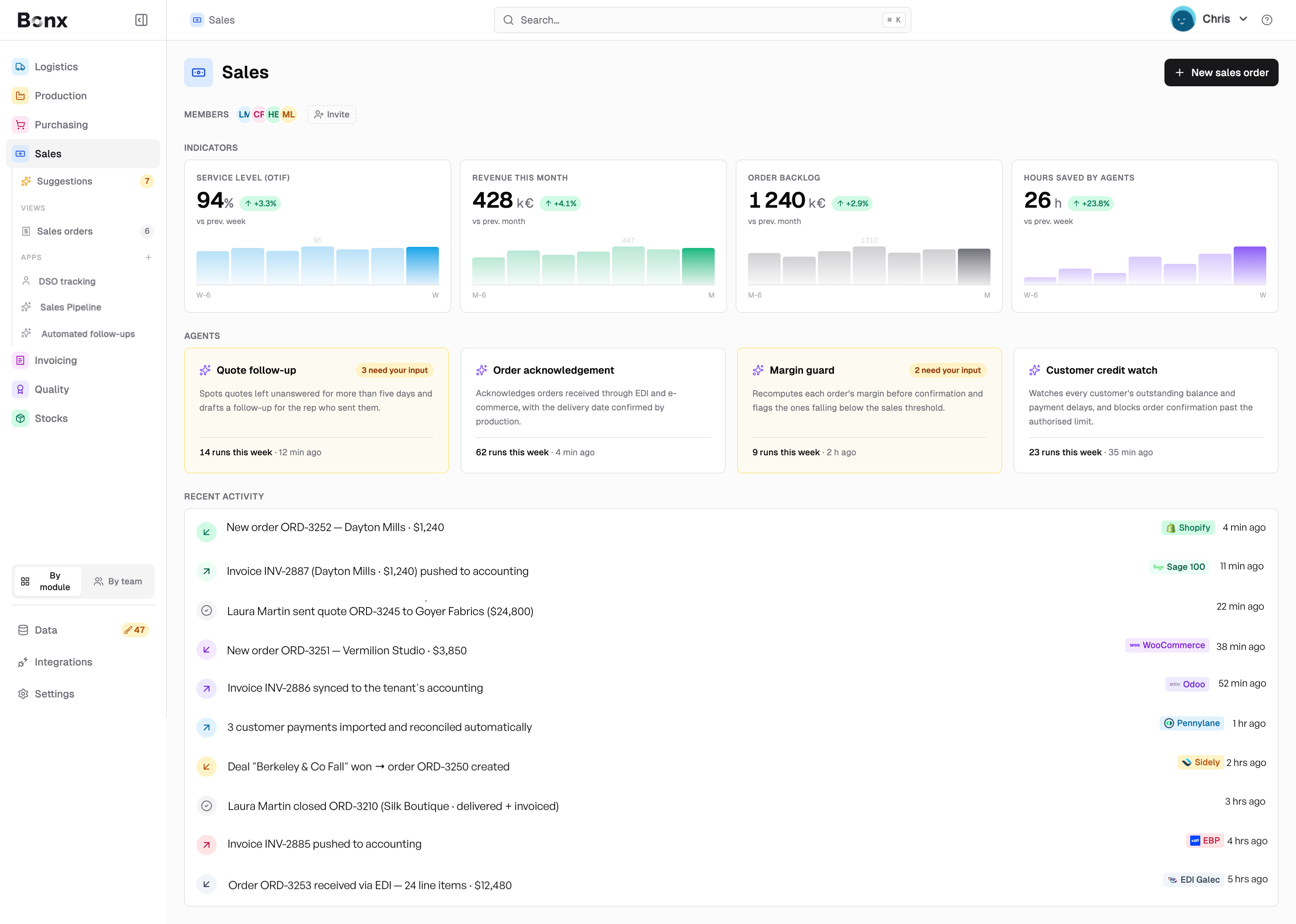
Bonx is the AI-native manufacturing ERP that connects order management, inventory, purchasing and supplier management, planning, production, quality, and logistics in one operational system. At Bonx, we believe your team should never have to wait for the end-of-shift report or walk the floor to understand what is happening in your factory. We also believe that real-time monitoring only works when the same events that run the operation also feed the dashboard.
When production progress is declared in Bonx, the system can keep the work order, stock position, quality status, and operational plan aligned. When a quality issue appears, the affected batch, inventory, production order, and delivery risk can stay connected. When a KPI moves in the wrong direction, the team can look at the context behind it without leaving the system to rebuild the story.
Bonx's factory control tower capabilities sit inside that broader operating model. They help teams supervise rules, escalations, workflows, and operational exceptions in real time, while Analyze & Decide turns operational data into dashboards, analysis, and decision support.
We’ve already talked about Something Added, who deployed Bonx in two months with a native integration to HP 3D printers. Bonx groups orders automatically, generates manufacturing orders, assigns jobs to machines based on industrial rules, and supports 24/7 production with more than 10,000 parts produced each month.
The factory dashboard is part of that operating model, but it is not the whole point. The point is that production data is captured where the work happens and stays connected to the operational system. Managers get clearer visibility, operators spend less time on admin, and the team can act from a shared version of what is happening on the floor.
LCS implemented Bonx for real-time production tracking across five textile workshops, replacing paper work orders with QR-scanned manufacturing orders and cutting production errors by 95% while reducing paper usage by 90%. Different factory, same lesson: real-time production monitoring works when the system carries the operational context, not just the number.
If the system only shows what happened after the shift, it is reporting. If it shows what is happening now but leaves the response to spreadsheets, calls, and memory, it is visibility without action. Real-time production monitoring should help the team see the signal, understand the affected work, and move the next step while there is still time to protect capacity.
Real-time production monitoring means capturing production data as work happens so teams can act before the problem becomes a missed plan, late order, quality failure, or capacity loss. It usually includes work order progress, downtime, output, quality results, material constraints, and production exceptions.
A factory control tower is a real-time operating view of production status, shop floor exceptions, and operational risk. It helps teams see what is happening, which orders, machines, materials, batches, or customers are affected, and what action should happen next.
Not always. Manufacturing dashboard software displays production information, but a factory control tower should go further by connecting that information to operational context and action. The system behind the dashboard should show what changed, what it affects, and who owns the next step.
OEE software tracks availability, performance, and quality losses. Inside real-time production monitoring, OEE becomes more useful because the system can show the causes behind the number and connect them to the affected orders, work centers, machines, materials, quality events, and owners.
Business intelligence is usually strongest for trend analysis and management reporting. Real-time production monitoring is closer to daily operations. It shows what is happening now, keeps production context attached, and helps the team respond before the production window has closed.
Small and mid-sized manufacturers often need real-time production monitoring because they have less room for hidden delays, manual reconciliation, and key-person dependency. The goal is not to add another dashboard, but to give the team a shared operating picture and a faster path from signal to action.


Contact us
So were we. That's why we built Bonx, the AI-native manufacturing ERP.