
AI-assisted ingredient & packaging procurement
At Bonx we talk to a lot of manufacturers every day, especially growing businesses looking to scale their operations. And one thing that always holds true with our prospects is that purchasing teams in particular still do a lot of work by hand. They check what’s due in, chase suppliers for confirmations, and re-enter details from delivery notes. So if this sounds like you, you’re not alone.
The good news is that AI can now take on much of that routine work. Once customer orders, recipes, stock, and open purchase orders are in one place, the logic behind a purchase suggestion is straightforward. The system can work out what’s short, apply supplier rules like lead times and minimum order quantities, and suggest what to buy and when. An AI agent can use that same information to flag shortages and put together a proposed buy for review.
Marjolaine Nantillet describes the shift she wants for L’Atelier du Ferment as going from firefighter mode to pilot mode. As order volumes grow, buyers can spend more time setting those rules and making the calls that require tradeoffs, human judgment, and that affect production, like whether to accept a packaging minimum or how much of a late shipment to expedite.
This article walks through AI-assisted ingredient and packaging procurement in Bonx, the AI-native manufacturing ERP. We’ll follow fresh peppers and printed sleeves for a chilled dip from the production plan through supplier confirmation and receipt.
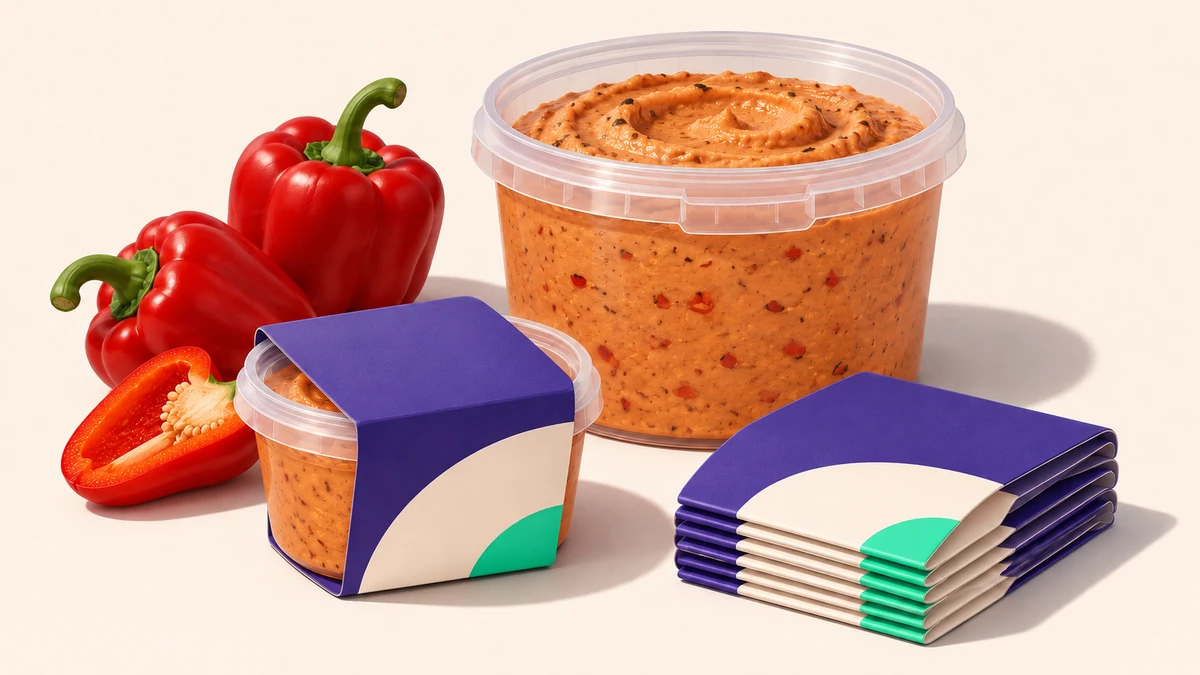
Take a chilled roasted red pepper dip sold in two formats. The plant has confirmed orders for 2,400 retail tubs at 200 grams each and 120 one-kilogram foodservice packs. Together they need 600 kilograms of the same dip, which the plant makes on Wednesday and packs on Thursday.
The Bonx planning module follows each pack’s bill of materials down to the bulk dip, then through the recipe to the ingredients the plant buys. Both orders drive demand for fresh red peppers. Only the retail order drives demand for the printed cardboard sleeves that go around the retail tubs. The peppers need to be available for Wednesday’s batch, but the sleeves can arrive before Thursday’s packing run.
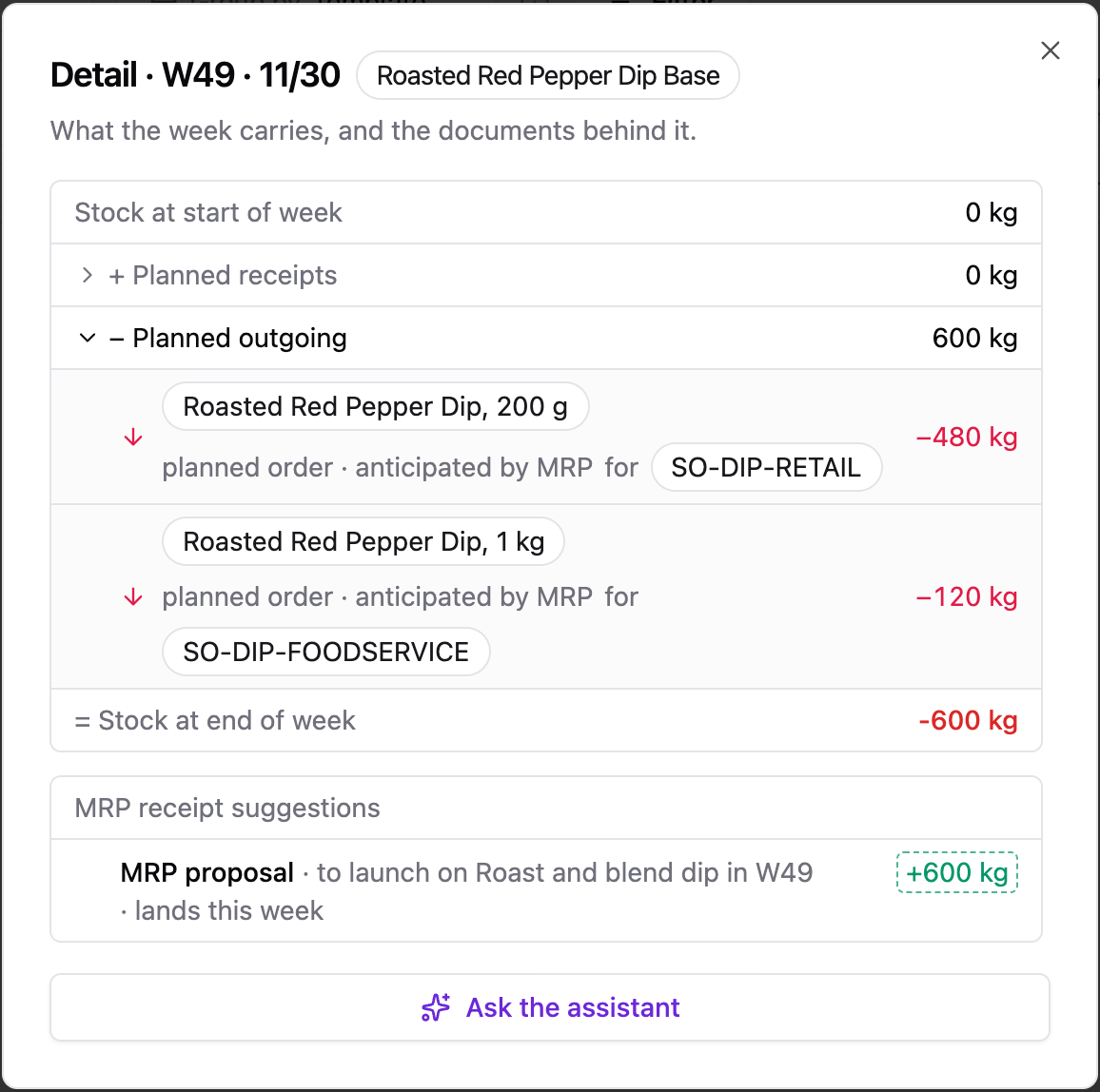
In this example, the recipe calls for 250 kilograms of fresh red peppers, and the retail order needs 2,400 sleeves. The buyer has 50 kilograms of usable peppers on hand and an open order for 1,600 sleeves due before packing. That leaves 200 kilograms of peppers and 800 sleeves to cover. In procurement software, the buyer should be able to see the orders behind each requirement and the stock or open orders that already cover part of it. Our guide to procurement software for manufacturers covers what to look for across the broader workflow.
The pepper supplier sells in 10-kilogram cases, so 20 cases cover the 200-kilogram shortage. A Tuesday delivery allows time for receiving checks, provided the peppers will still meet the plant’s shelf-life and quality requirements when prep starts on Wednesday.
The sleeve supplier has a 2,000-unit minimum. If both orders arrive in full, Thursday’s packing run will use 800 of the new sleeves and leave 1,200 for later retail runs. A confirmed order that uses the same artwork can help justify the balance. If later demand is still a forecast or the artwork is changing, the buyer can ask the printer to price a shorter run before committing to the full minimum.
Bonx keeps supplier references, lead times, price tiers, minimums, and order increments with each item. It uses those terms to prepare the purchase suggestion.
The purchase recap shows a proposed supplier, quantity, and order-by date for each requirement. It applies the buying terms and flags lines with a missing price. The buyer can see why the two suggestions differ. The peppers are a 200-kilogram buy in full cases. The sleeves are a 2,000-unit buy against an 800-unit shortage because of the supplier’s minimum.
The Bonx AI purchasing agent can monitor shortages, check available stock, and suggest a combined purchase when several needs can be covered together. The buyer reviews the proposed action with the production run and supplier terms in view.
Before committing, the buyer needs to check the 1,600 sleeves already on order. If they’re still due before Thursday’s packing run, the uncovered requirement stays at 800. If that shipment slips, the buyer has to secure more sleeves for Thursday. Purchase order software should make the open commitment visible alongside the proposed buy.
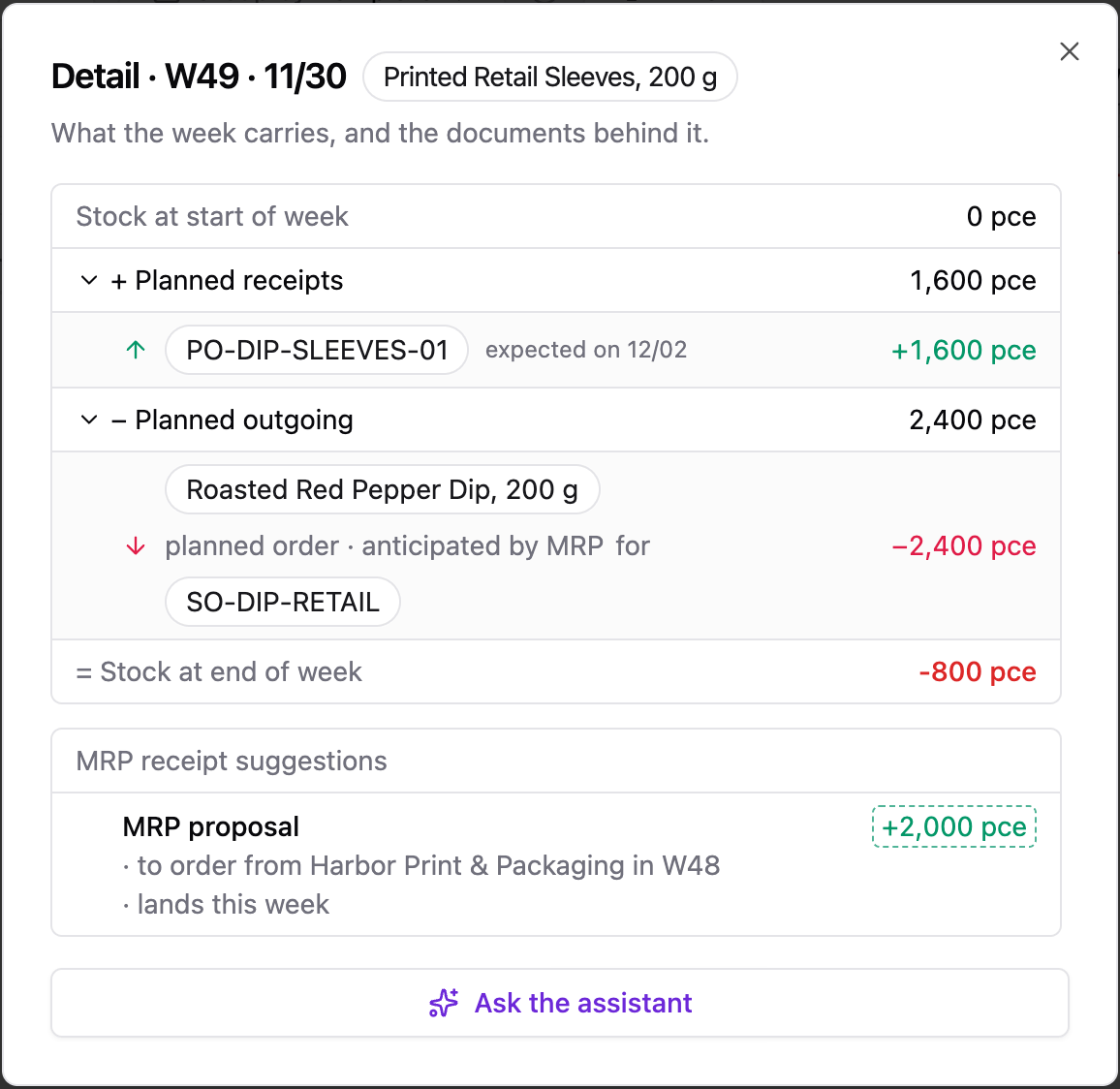
For the peppers, the buyer confirms Tuesday delivery and the condition and remaining shelf life the plant expects on arrival. For the sleeves, the buyer checks the supplier reference against the approved artwork revision. If the printer offers an earlier delivery of sleeves from a previous print run, the team that owns packaging approval needs to verify that the artwork can still be used for this retail order.
Bonx can turn the reviewed proposals into new purchase orders or add lines to an existing order with the same supplier. If the original 1,600 sleeves and the extra 2,000 have separate delivery commitments, the buyer needs to keep those commitments distinct so receiving and planning can see what’s due when. Our guide to purchase order automation covers supplier commitments and approvals in more depth.
Once the printer confirms by email, the agent can link that confirmation to the sleeve purchase order. If the delivery runs late, the agent can bring together the available stock and the production orders at risk and draft a follow-up for review. The buyer can decide whether to ask the printer for an earlier partial delivery. Teams can authorize the agent to carry out routine steps according to their approval rules.
The pepper delivery note may list the product reference, quantity, lot, and a date. The printer’s note identifies the sleeve reference and the quantity shipped. AI can extract those fields, match supplier references to the catalog, and prepare a receipt for review. It can also check the note against the purchase order and flag differences.
Receiving verifies the extracted details against the original note and checks what is actually on site. For the peppers, that includes the plant’s quality requirements. For the sleeves, it includes confirming the artwork matches the approved version.
The 200 kilograms of peppers arrive on Tuesday. Receiving records the lots and checks that the peppers meet the requirements for Wednesday’s batch. Once the incoming peppers pass those checks, the 50 kilograms already on hand bring usable stock to the full 250 kilograms needed for the dip.
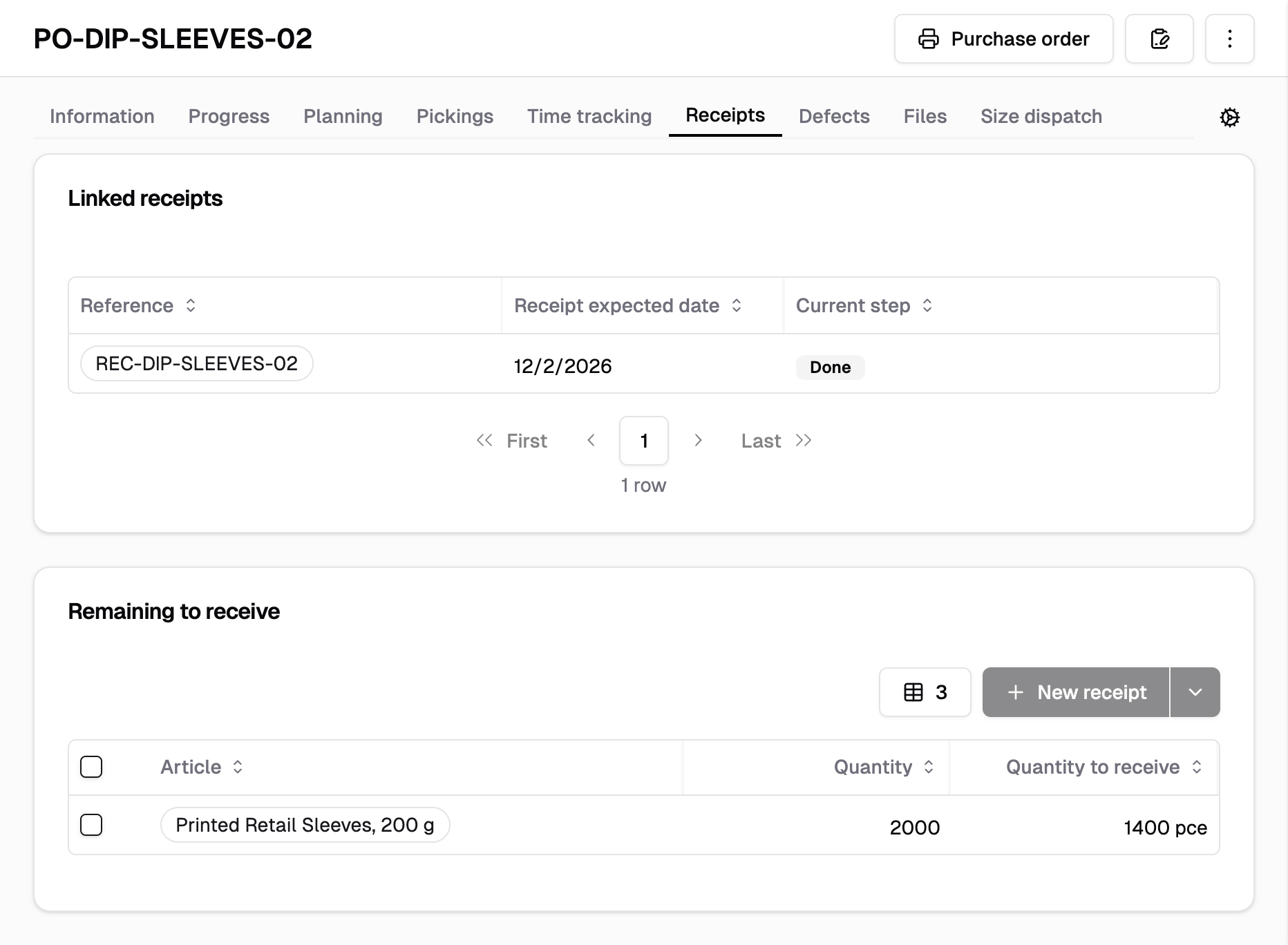
The original 1,600 sleeves arrive as planned. The printer delivers 600 against the additional order of 2,000. Bonx links that receipt to the purchase order line and keeps the outstanding 1,400 visible. The retail run has 2,200 of the 2,400 sleeves it needs, so the buyer can ask for 200 before Thursday’s packing slot and agree on a date for the remaining 1,200. If the 200 can’t arrive in time, planning can revisit the retail slot. The foodservice order can still use its share of the dip if its own packaging is ready.
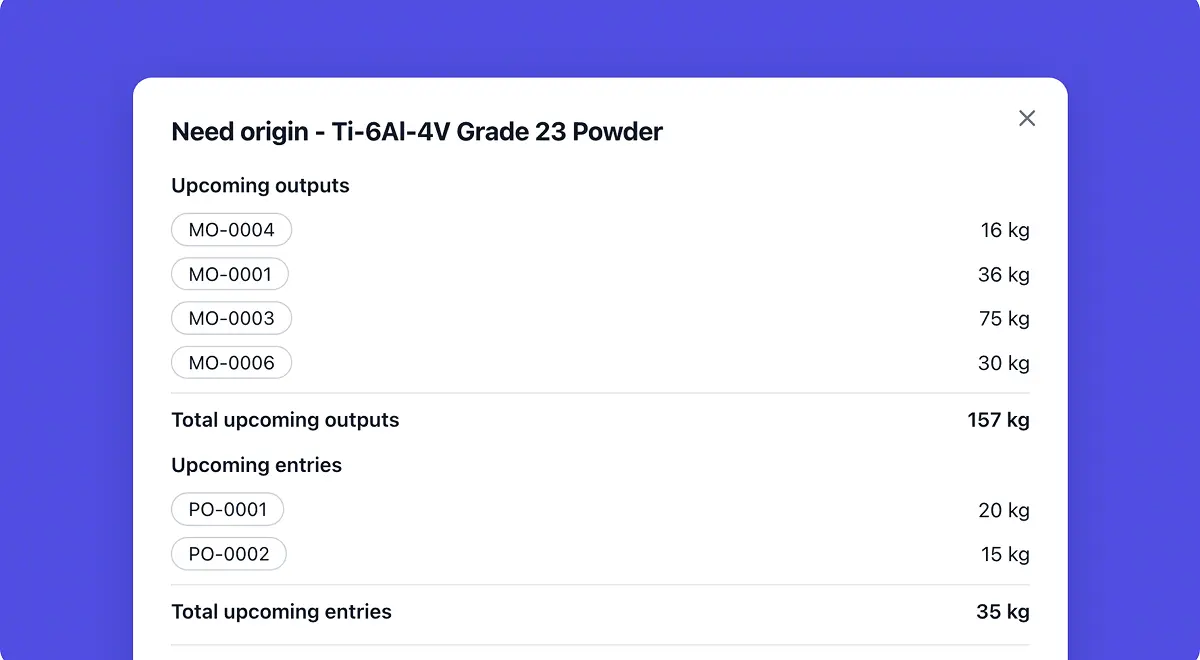
When comparing procurement software and supply chain planning tools, look at how each handles a material requirement from production demand through receipt. For example, in Bonx:
See how Bonx turns a customer order into a production plan and purchase suggestions in the on-demand planning and scheduling demo.

Contact us
So were we. That's why we built Bonx, the AI-native manufacturing ERP.