Quality management software for manufacturers: what's worth automating
The right quality management software can save your team countless hours per week. For example, imagine how much time is lost to repeatedly entering the same inspection result twice, manually comparing every measurement with the same limits, or calling production to warn them that material is on hold versus having that information be transmitted automatically.
The use of automation or AI for quality management, and even changing quality management software, is understandably a touchy subject, as bad execution can put your business at serious risk. On the other hand, more effective systems (once they have the requisite trust) can make a massive difference for a growing business trying to manage an exponential increase in production volumes and the quality checks that go with that.
This blog covers:
The best place to find efficiencies is to start with the work people repeat against an agreed requirement. The five jobs below apply across receiving and production; the examples show how each one works in practice.
When an inspection task is not seamlessly incorporated in the flow of work, it's easier to miss. Staff have to find the right sheet, complete it, and make sure the result reaches whoever needs it next.
One of the simplest ways to reduce risk and gain efficiency is to remove the friction of a separate search and handoff, making quality an integral part of the system. Bonx, for example, brings quality checks into the same system as receiving, production, and stock. For example, a manufacturer of acoustic office booths can require receiving staff to check incoming aluminum components for appearance, color, and straightness before completing the receipt.
In Bonx, controls defined for a particular item appear in the receiving procedure, while production-step forms can contain measurement or counting controls, files, and defect entry. You can also use a separate quality-control record when the inspection needs its own sequence or a handoff to the quality team.
Required fields prevent an operator from advancing with a result missing, and required steps help enforce the sequence. In a configured Bonx receiving procedure, for example, the receipt cannot close while quality control or put-away remains incomplete. During production, operators complete the inspection alongside the relevant operation, one of the places where ERP and manufacturing execution responsibilities overlap.
Recording a result once saves time, but typing it from a display still leaves room for a wrong digit or decimal point. Where the measuring equipment can send the reading directly, you can remove that entry step entirely.
Here’s a real-life example: at a dry-cured meat producer operating across two sites, staff checked truck temperatures at the dock, wrote the readings on delivery notes, and re-entered them afterward. They were already measuring at the right moment, while the delivery could still be refused. But recording during receiving would remove the second entry, and going even further, a compatible equipment connection could remove the transcription itself. With Bonx, they were able to set up both.
That’s because Bonx supports direct capture from compatible serial scales in configured stock-task forms. The operator connects the scale and clicks <b>Measure</b> to retrieve the measured quantity and its measurement identifier; saving the task retains the identifier with the batch. They don't have to copy the number from the scale.
Once the result is recorded, software can handle the repeated comparison with the specification. That can save substantial review time even when the measurement itself still requires an operator.
Let’s look at another example: a UK metal-packaging quality manager told us he spent two to three hours each morning checking 30 to 60 work orders against specification thresholds. Operators had already recorded measurements and visual inspections on paper, but analyzing trends meant entering those results again in Excel or Minitab.
In Bonx, tolerance bands show whether an entered measurement falls within the configured range. The quality manager can review the recorded results without first collecting and transcribing the paper.
For sampled inspections, Bonx supports acceptable quality limit (AQL) settings and assesses critical, major, and minor defect families separately. The operator sees the acceptance result for each family, so an acceptable minor-defect count cannot cancel out a failure in a more serious category.
Bottom line: Bonx can check results against agreed limits, the perfect opportunity to reduce manual work. Yet the humans, your quality team, is still in control, deciding whether to change those limits or accept material that falls outside specification.
Production and logistics need to know which quantities they can use, including batches waiting for inspection and material that has failed a check. Non-conformance management software should reflect any rejections in available-stock figures so quality doesn't have to warn the rest of the operation separately.
A cabin and panel manufacturer described this problem while evaluating Bonx. Operators could scan a QR code to report a non-conformance, but the report didn't automatically trigger follow-up. A yellow sheet marked a quarantined cabin on the floor, but logistics had no record of the hold unless someone told them.
In Bonx, declaring a defect with a type and quantity moves that quantity into a non-quality stock location, where it is unavailable for manufacturing orders. The planner then sees the quantity actually available for production. Inspection results stay on the relevant process step, and the related operational record provides the item, lot, and operator context.
Staff can track defect treatment through to repair, repaired, or irreparable while quality assesses the authorized disposition.
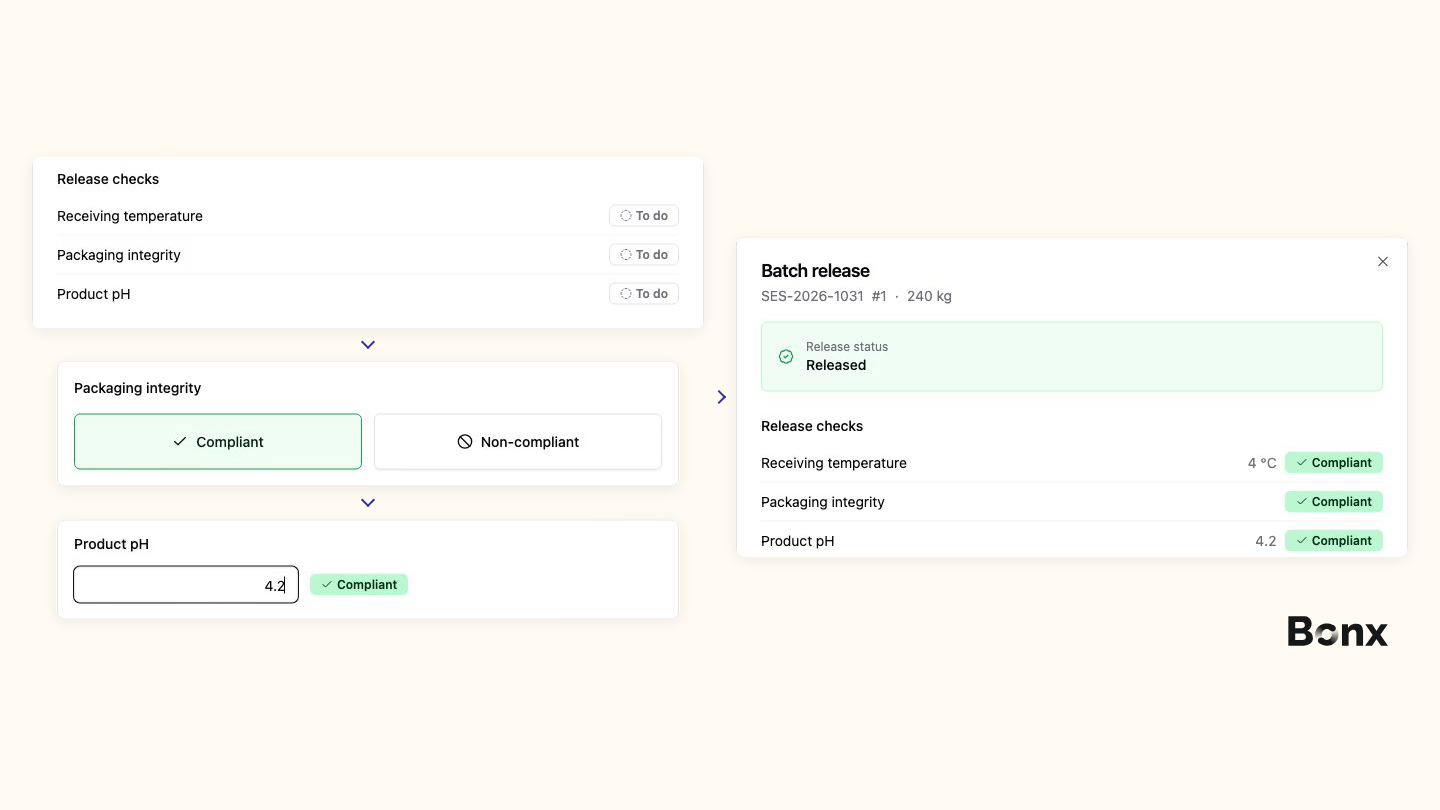
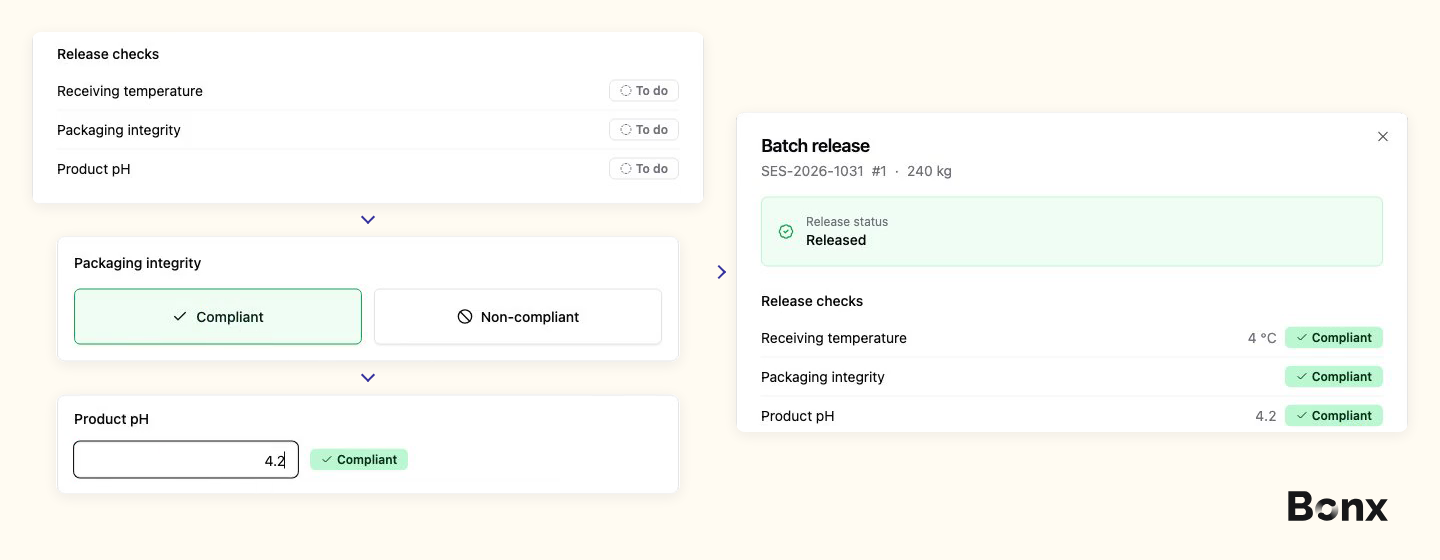
Bonx can also keep a batch unavailable for production or shipment until its configured release controls pass. For example, an item can require a pH check before release: once the operator records a conforming result and the required controls are satisfied, the batch is released for use.
Across multiple sites, shared reporting also saves a separate round of calls and consolidation. At Résilience, a network of 80 independent textile workshops, operators report non-conformances through a structured Bonx form. The central team in Roubaix can see an issue raised in Bordeaux before it becomes a delivery problem.
In an ideal world, any investigation that needs to happen against quality records is fast and easy to mitigate risk. If it necessitates going through paper forms and records, it will be anything but.
Bonx keeps field-by-field history on operational and reference records, showing who changed what and when. Status changes and comments stay attached to the relevant record. That means a quality manager can review the inspection on a process step, follow the affected lot through its operational records, and check the stock movement for the defective quantity, all in a matter of minutes.
Upstream and downstream lot traceability helps identify the materials that went into the lot and the production or shipments connected to it. The team can then use that history to establish the scope of an investigation, or even leverage Bonx itself to help with the investigation.
Completing a required field, passing a tolerance check, and authorizing material for use are wildly different tasks that carry different levels of risk. It’s critical to define the decisions your quality team owns alongside the tasks you choose to automate.
Assign a named quality owner to accepting material outside specification, approving a rework route, changing an acceptance limit, or deciding that further testing is needed. Software can organize the evidence and enforce an agreed approval process, while the person making the decision assesses the risk.
A production order can be complete while its output is still waiting for quality review, especially when testing takes longer than manufacturing. Agree who performs the checks and who authorizes release. An out-of-range result may require an investigation, re-testing, customer approval, or a documented concession before the material can be used. The right person should be able to adjust the software when processes shift and change, or if different processes apply in different cases.
Direct measurement capture also depends on the quality team's choices. Instrument calibration, sampling methods, and whether a measurement is appropriate for the check remain their responsibility.
Software can make an investigation much easier by bringing together inspection results, production records, and previous defects. Your quality team can use that evidence to look for patterns, test possible causes, and decide what needs to change.
For example, specific corrective and preventive action (CAPA) software in particular can help with tasks like assigning actions to owners, tracking deadlines, keeping supporting evidence, and scheduling checks to see whether the changes worked. The person responsible for the investigation reviews those findings and makes the final call on whether it can be closed.
Bonx’s inspection, defect, production, and stock records provide operational evidence for this work. If you need a formal CAPA workflow, also evaluate how the software supports investigation tracking, effectiveness reviews, and closure approvals.
Choose based on the work your quality team needs to manage. When operators inspect during receiving and production, and defects need to affect available stock, those workflows benefit from being close to the ERP. Bonx, for instance, is powerful precisely because it connects control plans, process-step inspections, defect records, and non-quality locations to the operations already taking place.
A specialist QMS may be the stronger fit when the main requirement is formal CAPA, document control, supplier-quality investigations, or training administration. Statistical process control (SPC) can also justify a specialist tool when your team needs process-capability analysis and customer reporting beyond the inspection itself.
If you need both, establish which system owns the inspection result, who authorizes release, and how that decision reaches planning and logistics. Otherwise, the quality manager may end up passing information between the two, which is exactly the kind of manual effort that can be avoided.
For your first automation project, choose an inspection your team already repeats. Identify where the result can be captured directly, which comparisons and stock changes should follow, and where a person needs to assess an exception.
Want to see how Bonx could support your quality workflows and wider manufacturing processes? Talk to our sales team to arrange a personalized demo based on how your business works.


Contact us
So were we. That's why we built Bonx, the AI-native manufacturing ERP.