
Stop rebuilding delivery notes in Excel
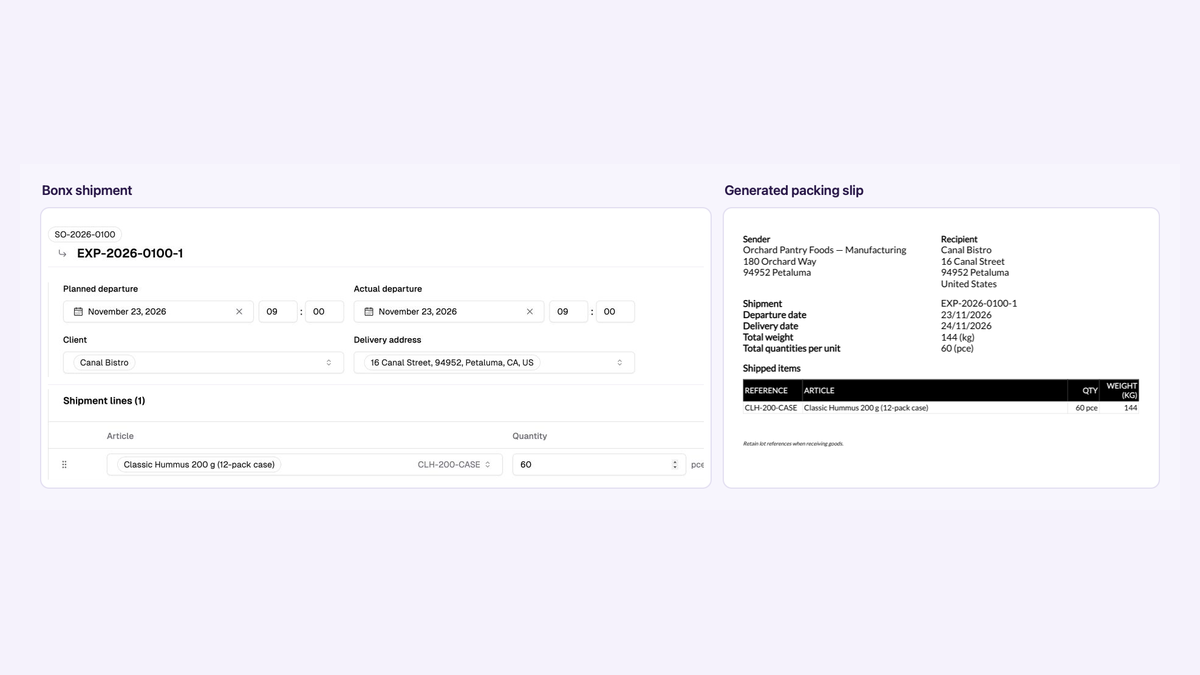
If your ERP’s standard delivery note only shows your item codes and the customer needs theirs, the dispatch team may copy the shipment lines into an Excel template that has room for both. That gives the customer a document they can match against their purchase order, but it also creates extra work for your team.
One manufacturer we spoke with uses Excel for a similar reason; when customers arrange their own pickup, they need the dimensions, weight, and unit count of each pallet. The warehouse weighs the pallets and writes down the figures, and the dispatch coordinator uses those figures to build a packing list in Excel and sends it alongside the delivery note.
Generating the delivery note from the shipment record directly would remove the need to copy details the ERP already has, which is exactly what Bonx, the AI-native manufacturing ERP, can do. This article shows you how Bonx helps you improve your manufacturing operations by, among lots of other functionality, automating delivery notes to reduce errors and free up time.
A delivery note records what the warehouse is sending to the customer, and the receiving team uses it to check the items and quantities against what they unload.
If an order ships in stages, each delivery note covers the goods sent in that shipment. Say a customer orders 100 cases and the warehouse ships 60 today. The delivery note shows 60 cases, so the receiving team knows how many to expect.
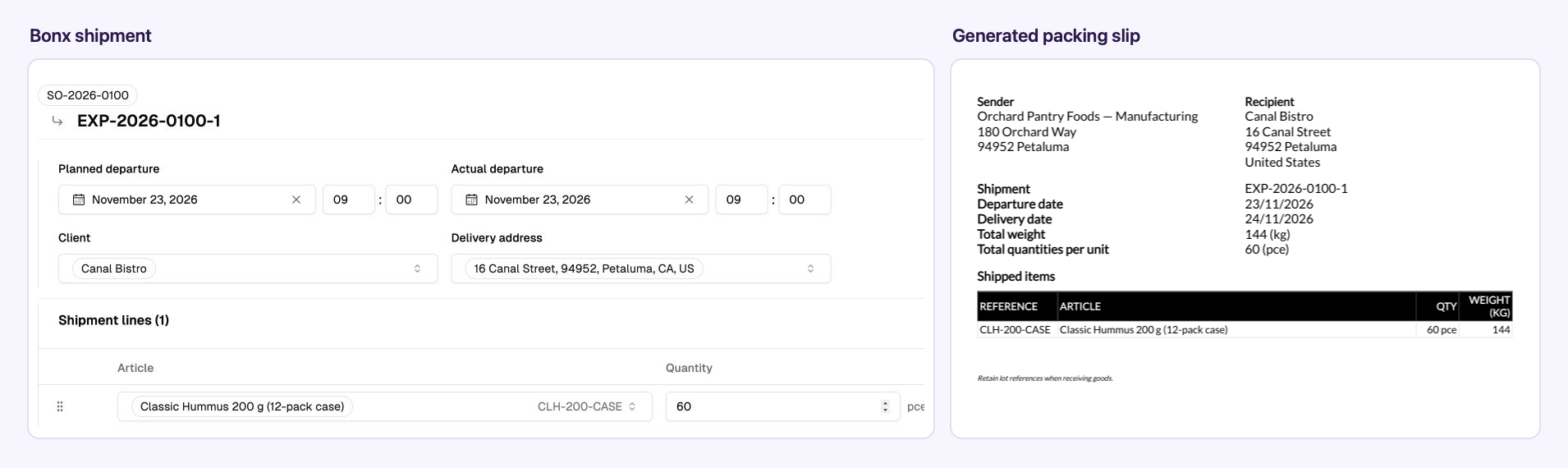
With the quantities confirmed, dispatch can turn the shipment record into the paperwork people need. Bonx generates the customer’s delivery note from that record and can produce a separate transport note when the carrier needs one.
When a shipment changes just before it leaves, everyone working on it needs the updated details. If the warehouse pulls a damaged case and the dispatch coordinator corrects the quantity in Excel alone, the customer gets one count and colleagues looking at the ERP see another.
In Bonx, the team can correct the shipment record and generate a fresh delivery note from it. Dispatch can then check the note against what’s ready to load.
At L’Atelier du Ferment, orders from multiple sources (including EDI) feed into Bonx, and delivery notes generated in Bonx are sent to Pennylane. The customer story describes a connected workflow that reduces re-entry between order capture and delivery paperwork. Read about L’Atelier du Ferment’s connected order and delivery workflow.
Your customers may ask for different details on their delivery notes. A food retailer might ask for lot numbers and best-before dates. A customer that checks deliveries pallet by pallet may need to know what’s on each pallet.
In Bonx, you can use different delivery note templates for different customers. A template can list the items and quantities in each pallet or package when those details are linked to the shipment. For the same customer’s next delivery, dispatch can reuse that template with the new shipment details.
When several shipments are ready at once, bulk printing in Bonx lets dispatch print their delivery notes together.
The Bonx logistics module covers the broader receiving, shipping, and transfer workflow.
For an outbound delivery, dispatch starts with the shipment details already in the ERP, and Bonx uses the shipment record to generate the outbound note.
When a supplier delivery arrives, the receiving team may have those details on the supplier’s delivery note and need to get them into the ERP. For this use case, Bonx can use AI to extract details for the receiving team to review. The team still checks what arrived and resolves discrepancies, such as a case count that differs from the supplier’s paperwork.
Bonx connects orders, inventory, shipping, invoicing, and more in one system. That’s why dispatch can generate the delivery note from the shipment record it already uses to track what’s going out. Your warehouse can also generate picking lists to prepare shipments.
But Bonx goes beyond just the standard modules for manufacturers and instead allows you to leverage AI across your operations to find efficiencies. For example, at a shipment step you choose, a Bonx AI agent can check the shipment data against your rules and flag issues for dispatch to review, such as a missing customer purchase order number. When dispatch applies an email template set up to include the delivery note, Bonx generates the PDF from the shipment record and attaches it to the message automatically.
The same shipment can also trigger invoicing. When a shipment reaches a stage set up for invoicing, Bonx can automatically create a draft invoice for the goods that went out. A Bonx AI agent can check the draft against the sales order and flag discrepancies for finance to review before validation.
Contact Bonx to arrange a personalized demo based on your dispatch documents and manufacturing processes.


Contact us
So were we. That's why we built Bonx, the AI-native manufacturing ERP.