
Managing retailer requirements in your ERP
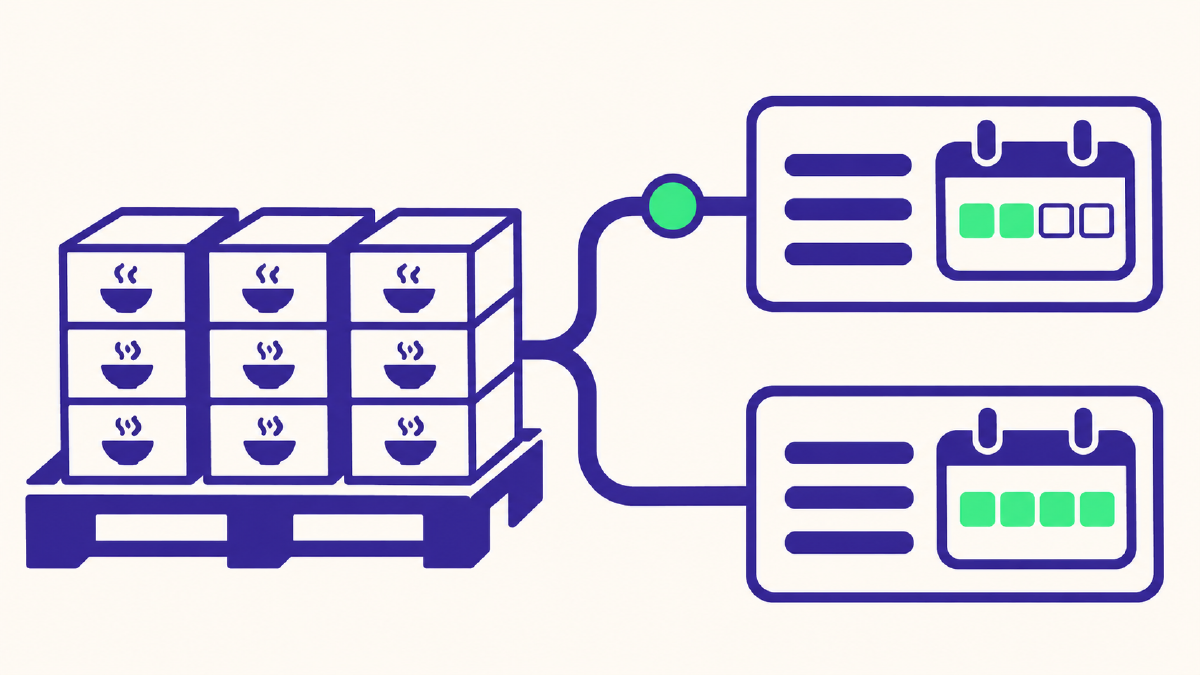
When small and mid-market manufacturers are working with retailers, there are a lot of potentially new and specific requirements to respect and keep track of. Your ERP should be making this easy. The goal is to scale these processes so you can work with more retailers and grow your business without growing your overhead and admin.
In this article, we’ll look at some of the most common retailer requirements, how Bonx (the AI-native manufacturing ERP) can help automate the admin required to comply with the requirements, and specific examples of
for that use case.
Retailers can require information at both ends of an order. They send a purchase order through electronic data interchange (EDI), then expect an advance shipping notice with the details their distribution center needs. If a shipment contains several lots of the same product, each lot number and best-before date may need to be reported. A last-minute lot swap means updating those details before the notice goes out.
With EDI connected, Bonx turns the retailer’s purchase order into a sales order. It matches the retailer’s product codes to the manufacturer’s items and converts case quantities where needed. The order desk sees it alongside direct-to-consumer orders (from whatever your e-commerce platform is, e.g., Shopify or WooCommerce) and orders the team enters from email or elsewhere.
When Bonx customer L’Atelier du Ferment needed retailer comments and promotion references on retail orders via EDI, they were able to add dedicated fields in Bonx so the order desk could see both and include the promotion reference on documents when needed.
At dispatch, Bonx can send an advance shipping notice (DESADV) from the shipment record. L’Atelier du Ferment used to type each lot number and best-before date in again for its retailers. As weekly shipments tripled, the same work had to be repeated across more deliveries. The team can now send the lot numbers and dates already in Bonx with one click (and the person who handled manual data entry moved on to other high-impact work).
See how L’Atelier du Ferment connected its production and logistics.

Supermarket chains often negotiate their own prices with the manufacturer. A chain that buys in larger volumes may pay less per case, and a promotion can temporarily lower that price. Before confirming an order, the order desk needs to check which terms apply.
For a fresh pizza producer supplying supermarkets, Bonx brought the price list into the sales-order workflow. A configured automation looks up the price for the retailer’s customer group and fills it in on the order line. The order desk has the agreed price on the order when it’s ready to review.
For fresh products, tomorrow’s deliveries can depend on the orders that came in today. The same pizza producer uses its sales orders in Bonx to plan the next day’s production.
Bonx calculates the ingredients needed for those orders and checks what’s in stock before production starts. The team can see what it has enough ingredients to make and what it still needs to buy, without building the plan by hand from the retailer’s order list.
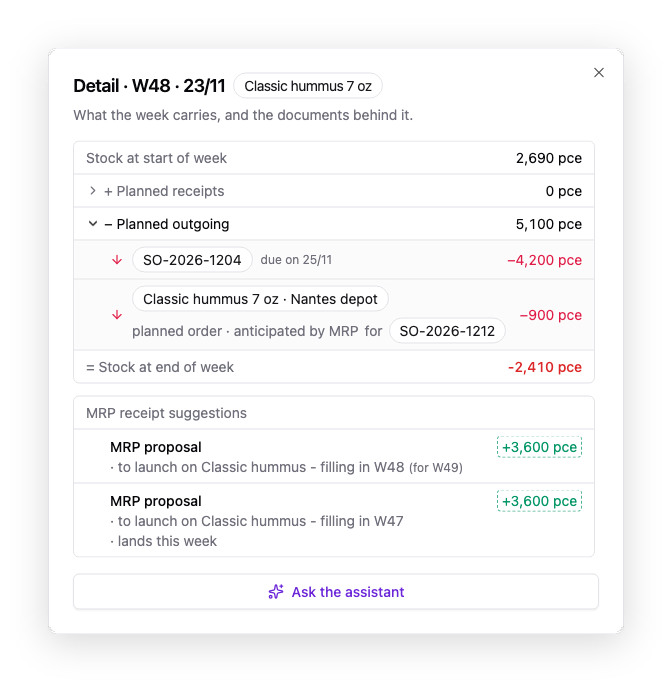
See how Bonx fits a new customer order into an existing production schedule in the on-demand planning and scheduling demo.
One cured-meat producer working with Bonx had different shelf-life guarantees for different retailers, which was a challenge to manage in and of itself. On top of that challenge, the warehouse sometimes got orders ready before their scheduled ship date, which left the goods with fewer days of shelf life when they reached the retailer.
For example, one of their retailers requires 30-day shelf life at delivery. A lot with 32 days left when the team packed the order would arrive with 29 days left after a day in the warehouse and two days in transit, missing the retailer’s minimum by one day.
Bonx set up the workflow so each order generates a list of what the warehouse needs to prepare. Operators scan each lot to record it on the shipment, and the warehouse team can look up the expiry date of the exact lot it plans to send. In addition, the lot numbers carry through to the delivery note, so the shipping team doesn’t have to type them in again. When the note also lists the expiry date for each lot, the retailer has a written record it can use to check that the goods meet its shelf-life requirement on arrival.
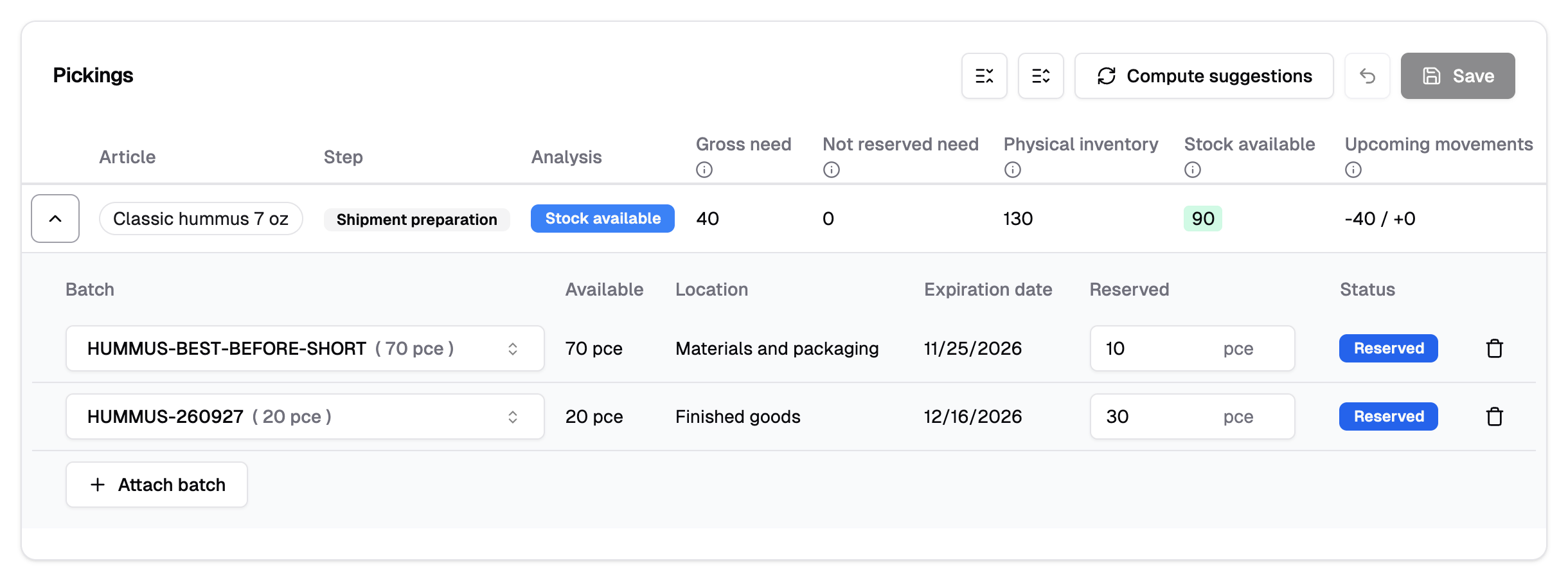
A lot nearing its expiry date may still meet one retailer’s shelf-life requirement but fall short of another’s. The warehouse needs to keep that stock available for retailers that can accept it and use longer-dated lots for orders with stricter minimums.
One Bonx customer was previously marking short-dated stock as unavailable to keep it out of regular orders. When the team wanted to send it to a retailer that accepted it, someone had to transfer it back into available stock first. And because a single shipment could include both short- and longer-dated lots, the team needed to choose the stock for each order line.
In Bonx, warehouse teams can keep short-dated lots in a designated stock location and still select them for an eligible shipment. Operators can see the expiry dates and reserve the earliest-expiring lot that meets the retailer’s minimum for each line. The shipment records exactly which lots went out, even when the order includes a mix of dates.
When onboarding a retailer, take one of its orders through Bonx from intake to dispatch. Check that the product codes, quantities, and prices match the agreement, and that the warehouse can meet the shelf-life requirement. Then verify that the delivery documents and any EDI messages contain the information the retailer expects.
Bonx is the AI-native manufacturing ERP. Its eight modules connect sales and order management, planning and scheduling, purchasing, production, quality, inventory, logistics, and invoicing. A retailer order can drive what the plant makes and which ingredients purchasing needs to buy. Batch records and quality checks stay connected to inventory through dispatch, and the quantities shipped can feed the invoice.
As you take on new retailers, you can adapt the workflows your teams already use. If an account needs an extra release check before dispatch or asks for a different delivery note, you can add the check or configure the document in Bonx.
Bonx isn’t just for recording data but can also be configured to act with rule-based automations as well as AI agents. Once you set the rules, it can create manufacturing orders, prepare purchase orders, and route exceptions to the people who need to approve them. You decide which steps run automatically. By taking on routine work, Bonx is designed to help manufacturers handle 2x to 4x as much operational work with the same team.
Book a personalized Bonx demo to explore your manufacturing workflows.


Contact us
So were we. That's why we built Bonx, the AI-native manufacturing ERP.