Production planning software: the 2026 guide for manufacturers

For many SMB and mid-market manufacturers, production planning still depends on one person, one spreadsheet, and a lot of context that never quite makes it into the official system. That can work for a while, but it starts to break down when demand moves faster, lead times change, capacity gets tight, or the person who owns the spreadsheet becomes the only one who understands how production actually gets planned.
This guide explains what production planning software does, how it differs from production scheduling software, which types of tools exist, and what manufacturers should look for in 2026 before replacing a spreadsheet with another system the planner has to carry.
Production planning software helps manufacturers decide what to make, how much to make, when to make it, and what needs to be ready before production starts.
A good planning system works from the operational inputs around production, including:
The job is not just to produce a neat plan but to connect demand, materials, capacity, purchasing, production, quality, and logistics so the plan has full context and therefore can be trusted by the people who have to either act or rely on it.
That is often where the planning spreadsheet falls short. Production planning software earns its place when it reduces the translation work between the plan and downstream actions. In other words, if the plan changes, the surrounding system should understand the effect on materials, manufacturing orders, purchasing, capacity, quality, and delivery risk.
Production planning and production scheduling are closely related, but they are not the same job. Production planning works at a higher level amd answers questions like:
Production scheduling is more detailed, turning the plan into a sequence of work and answering questions like:
In other words, planning decides what needs to happen; scheduling decides how it should happen on the floor.
This distinction is important for software discussions because many vendors blur the two. Some production planning software is mostly material requirements planning (MRP). Some production scheduling software focuses on machine sequencing. Some advanced planning and scheduling tools cover both. Before comparing products, manufacturers should be clear about which problem they actually have.
If the team struggles to organize around what to buy or make, the problem is planning. If the team knows what needs to be made but cannot sequence the work efficiently, the problem is scheduling. Of course, it’s also possible that both are happening in the same spreadsheet and that the need extends across the two processes.
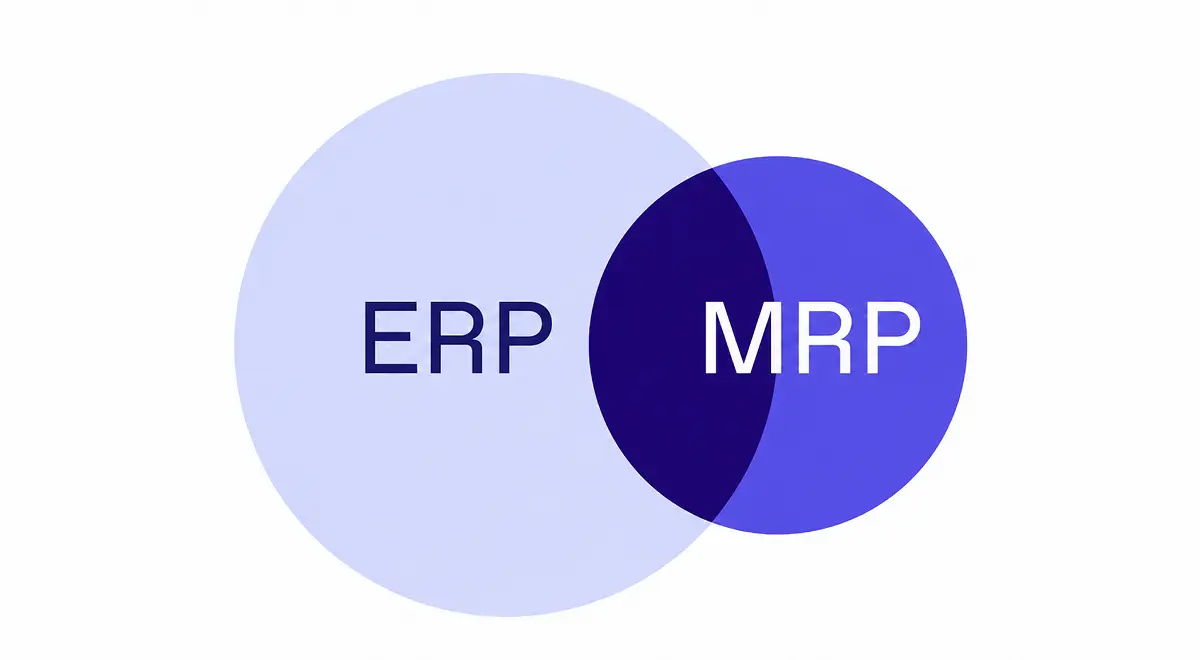
Companies using a planning spreadsheet might also have an enterprise resource planning (ERP) system in parallel. In this case, the problem is often that the official system (often a legacy ERP) is too rigid, too slow, or too incomplete, so the planner builds the thing the business actually needs.
At the end of the day, the spreadsheet owner remembers what the ERP system does not. For example, the fact that Supplier A is late every February, this customer always gets priority before a launch, that machine's standard cycle time is technically correct, except for one product family, that one batch is visible in stock, but quality has not released it, etc.
That context is critically important, but the issue is that as the manufacturer grows, the spreadsheet owner becomes the unofficial planning system. They export orders, clean data, adjust inventory, check capacity, chase purchasing, ask production what actually happened, rebuild priorities, and send the new version around. Everyone depends on the plan, but only one person understands the logic behind.
At Bonx, we talk to hundreds of manufacturers a day, and it’s not uncommon to hear that one entire full-time employee’s job one full day a week is to do the planning spreadsheet for the following week. This is often the moment manufacturers start looking for production planning software. The pain is not just that spreadsheets and Excel are fragile (and they are), but that planning has become personal infrastructure and therefore a risk to the business.
A good system should preserve the judgment of the planner without making the planner manually handle every handoff. It should let the team encode rules, review exceptions, trace recommendations, and connect decisions to the operational work that follows.
Production planning software is not one clean category. Most tools sit somewhere across three planning layers: MRP-based planning, finite capacity scheduling, and advanced planning and scheduling.
Material requirements planning (MRP) focuses on what materials, components, and production orders are needed to satisfy demand. For example, if a manufacturer needs to deliver 1,000 finished units next month, MRP checks the bill of materials, current stock, open purchase orders, open manufacturing orders, lead times, safety stock, and demand. It then recommends what to buy or make, and when.
MRP-based planning is useful when the main question is material and production requirements. It helps answer:
MRP becomes weak when the data around it is stale or incomplete. If inventory is wrong, supplier dates are missing, quality blocks are not reflected, or production progress is updated too late, the MRP result may be mathematically correct and operationally wrong.
Finite capacity scheduling plans production against real limits. Instead of assuming capacity is infinite, it considers constraints like machine time, labor availability, shifts, changeovers, tooling, batch rules, material availability, and supplier timing.
This matters when the question is not just "what do we need to make?" but "can we actually make it, in this order, with the capacity we have?"
Finite capacity scheduling is especially useful when a bottleneck resource controls the whole plan. A machine, line, workshop, oven, cleanroom, subcontractor, or skilled operator group may determine what is realistic.
The hard part is that not all constraints are equally easy to model. Machine calendars and cycle times are often easier to schedule than human work, where skills, training, availability, and daily variation can change the real answer. Strong production scheduling software should be honest about that boundary.
Advanced planning and scheduling (APS) software goes further into scenarios, sequencing, finite capacity, and constraint-based planning. It is often used when the planning problem is too complex for ERP-level MRP or basic scheduling.
APS can help manufacturers test what-if scenarios, compare schedules, reduce changeovers, detect bottlenecks, and understand delivery risk before committing the factory.
A standalone APS tool can make sense when production has many constraints, tight delivery windows, expensive downtime, or complex sequencing rules. But APS also creates an integration question. The schedule is only useful if ERP, purchasing, production, quality, inventory, and shop floor execution stay aligned.
For a deeper comparison, read Bonx's guide to APS and ERP planning.
In 2026, you should be looking for a tool that connects planning decisions to the operational flow, including:
Planning depends on data that moves during the day. Orders change, stock gets consumed, materials are reserved, quality blocks a batch, a supplier slips, a production order finishes early (or late), etc.
If production planning software works from yesterday's export, it will push the team back into manual checks. The system needs real time data for planning decisions to be accurate.
That means planning should see available, reserved, blocked, expired, and in-transit stock. It should see open purchase orders, supplier dates, manufacturing progress, quality status, and delivery commitments. It should also make clear when data is missing or stale, sending that flag back to the system.
Many planning systems can calculate demand, but far fewer can represent capacity in a way production trusts. Production planning software should help the team understand which resources constrain the plan: machines, lines, workshops, operators, subcontractors, tools, storage, or critical materials. It does not need to solve every scheduling problem automatically, but it should make capacity visible enough that planners are not discovering conflicts after the schedule has already been sent.
For some manufacturers, that means detailed finite capacity scheduling. For others, it means simpler capacity checks, alerts, and exception handling. The right level depends on the factory.
A plan that does not change the next operational step is just a report. If the system recommends producing more, it should help create or adjust manufacturing orders. If it detects a material shortage, it should prepare procurement suggestions or flag purchase orders at risk. If a quality hold makes stock unavailable, it should show which production orders or customer orders are affected.
This is where production planning software and ERP need to be close. Planning decisions affect purchasing, inventory, production, quality, logistics, and customer promises, so if those teams work in separate systems, someone has to manage the handoff manually.
Planners do not (and should not) trust black-box planning. If the system recommends buying 2,000 units of a component, the buyer needs to know why. Did the need come from confirmed sales orders, a forecast, a safety stock rule, a minimum order quantity, or a production scenario? If the system recommends moving a production order, the planner needs to understand which constraint changed.
Explainability matters because planners still own the tradeoffs. Software can calculate, detect, and prepare, but the business still has to decide what matters most when constraints collide: on-time delivery, margin, customer priority, machine utilization, labor stability, cash, or risk.
AI has changed what manufacturers should expect from planning software, but it has not removed the need for good data and clear rules. AI scheduling is strongest when the system has enough structure to act reliably: known machines, defined routings, stable cycle times, clear material constraints, documented rules, and human approval paths for risky decisions. It is weaker when the real constraint lives in undocumented judgment.
The practical question is not whether a vendor says "AI." It is what the system can do when demand changes. Can it group orders, generate manufacturing orders, prepare procurement suggestions, assign work under approved rules, flag conflicts, and route exceptions to a human?
For the AI-specific angle, read Bonx's guide to AI production planning and scheduling.
Planning does not end when the schedule is approved. Operators need to know what to do, materials need to be consumed, quality checks need to happen, finished goods need to update stock, and logistics needs to know what can ship.
Planning and execution, therefore, cannot be disconnected. This is why the boundary between ERP, production planning software, production scheduling software, and a manufacturing execution system matters. Manufacturers should not ask only whether a tool can create a plan but how the plan reaches the floor, how progress returns, and how the next planning decision reflects what actually happened.
One of the main buying questions is whether production planning should live inside the ERP or in a standalone planning and scheduling tool.
ERP-native planning works best when the ERP already owns the operational flow: demand, inventory, purchasing, manufacturing orders, quality, production progress, traceability, and logistics. In that case, planning can stay close to the data it depends on, and the system can turn planning decisions into action without constant reconciliation.
Standalone production scheduling software can make sense when the scheduling logic is too specialized for the ERP. That may be true for manufacturers with complex finite capacity constraints, many routing alternatives, expensive changeovers, strict sequencing rules, or serious scenario-planning needs.
The risk is complete separation. In other words, if ERP and scheduling software disagree, the planner has to decide which version to trust. For example, if inventory is blocked in ERP but available in the scheduling tool, which one is correct?
A standalone tool should reduce planning work, not create a new system to reconcile. Before adding one, manufacturers should ask:
For many SMB manufacturers, the stronger starting point is a connected manufacturing ERP with planning and scheduling capabilities inside the operational system. Standalone APS becomes relevant when the planning depth genuinely exceeds what the ERP can handle.
Bonx is an AI-native manufacturing ERP. It is a strong fit for manufacturers that want production planning, purchasing, inventory, production, quality, traceability, and logistics to work in the same operational system, instead of adding another planning layer that still has to be reconciled by hand.
With Bonx, the goal is not to make planners disappear but rather to move routine planning work out of spreadsheets and into a system that can prepare actions, surface exceptions, and keep the surrounding operation aligned.
At food manufacturer L'Atelier du Ferment, where Bonx connects production planning, batch traceability, Sidely, and Pennylane, Bonx helps generate manufacturing orders and procurement suggestions based on sales, shelf life, and cold storage capacity, while supporting traceability across more than 100,000 bottles.
At additive manufacturer Something Added, where Bonx deployed in two months with a native HP 3D printer integration, Bonx groups orders, generates manufacturing orders, assigns jobs to machines based on industrial rules, and supports 24/7 production with more than 10,000 parts produced each month.
At textile manufacturer LCS, where Bonx replaced paper work orders with real-time production tracking across five workshops, manufacturing orders are generated from confirmed quotes, each order is linked to a QR code scanned at every production stage, and the company cut production errors by 95% while reducing paper usage by 90%.
Those examples point to the same standard: production planning software should not leave the planner alone between the plan and the factory. Instead, the system should connect the decision to the work and help people (or machines) take the right next actinos.
Production planning software helps manufacturers decide what to produce, how much to produce, when to produce it, and what materials or capacity are needed. It uses inputs like demand, inventory, bills of materials, routings, supplier lead times, manufacturing orders, quality status, and capacity.
Production planning decides what needs to be made, in what quantity, and roughly when. Production scheduling turns that plan into a detailed sequence of work across machines, lines, workshops, shifts, or operators. Planning works at the demand and capacity level; scheduling works closer to the shop floor.
Some ERPs include production planning, but the depth varies. Finance-centered ERPs may store orders, stock, and manufacturing data without building a realistic production plan. Manufacturing ERPs are more likely to include MRP, planning, scheduling, production tracking, and quality context in the same operational system. Bonx, for example, includes custom modules for production planning fully tailored to your business’ unique planning constraints.
No. MRP, or material requirements planning, is one part of production planning. It focuses on what materials and production orders are needed based on demand, bills of materials, stock, and lead times. Production planning is broader because it also considers capacity, production timing, priorities, quality status, and execution.
Manufacturers may need advanced planning and scheduling software when ERP-level planning cannot handle the complexity of production. That usually means many constraints, finite capacity bottlenecks, frequent changes, expensive downtime, tight delivery windows, complex sequencing, or serious scenario-planning needs.
Yes, but only if it reflects the real constraints planners manage in the spreadsheet, like Bonx does. If the system cannot handle exceptions, explain recommendations, use trusted operational data, or connect schedule changes to purchasing and production, planners will keep using spreadsheets around it.
SMB and mid-market manufacturers should look for live operational data, realistic capacity modeling, strong links to purchasing and production, explainable recommendations, AI scheduling where rules are clear, and a clean handoff between planning and execution. The best system is not the one with the most planning features; it is the one the team can trust when reality changes.


Contact us
So were we. That's why we built Bonx, the AI-native manufacturing ERP.