APS vs. ERP: what's the difference and do you need both?

The APS vs. ERP question usually starts with a planning problem. The ERP has the orders, stock, bills of materials, purchase orders, and manufacturing orders, but the production plan still depends on someone rebuilding the real schedule by hand.
At first, that may be fine. The enterprise resource planning (ERP) system holds the operational record, material requirements planning (MRP) tells the team what needs to be bought or produced, and experienced planners can handle the remaining tradeoffs because the business is still small enough for people to keep the whole picture in their heads.
The question changes when planning becomes too constrained for that model. Lead times move, machines become bottlenecks, operators have different skills, subcontractors need their own schedules, quality blocks stock the plan expected to use, and customer priorities change after the week has already been scheduled.
That is usually when advanced planning and scheduling (APS) software enters the conversation. The ERP may still be useful and necessary, but it is no longer enough to turn demand, materials, capacity, and exceptions into a schedule the factory can trust.
This article explains what APS software does, where it differs from ERP and MRP, why standalone APS tools exist, and when both systems make sense. It ends with the more important question for manufacturers buying software now: whether an AI-native ERP could make the APS vs. ERP split less necessary in the first place.
An ERP is the operating system for the business. In manufacturing, it should connect the operational work that sits between customer demand and delivery: order management, inventory, purchasing, supplier management, planning, production, quality, traceability, logistics, and the handoff to finance or accounting tools.
The exact scope depends on the vendor. Some ERPs are finance-centered and treat manufacturing as one module in a broader administrative suite. Others, like Bonx, are operations-centered and own the factory flow more directly.
Either way, for planning, most manufacturing ERPs can hold the basic data the team needs:
That does not mean the ERP can build a realistic schedule.
Many ERPs are good at storing the objects around planning, but weak at turning those objects into a plan the factory can actually run. The system may know what demand exists, what stock is available, and what orders are open, while the planner still has to decide what should happen first, what capacity is actually available, which constraint matters, and what to do when reality changes.
That gap is where APS software enters.
Advanced planning and scheduling (APS) software helps manufacturers create production plans and schedules around the constraints that make the difference between a plan that looks right and a plan production can actually run.
Where basic MRP answers material questions, APS software tries to answer operational scheduling questions:
The important distinction is that APS software takes planning beyond "what needs to be made" and into "what can actually happen, in what order, with which constraints." Demand matters, but so do finite capacity, setup times, changeovers, labor availability, machine calendars, supplier lead times, shelf life, quality holds, batch rules, material reservations, and delivery priorities.
APS software exists because many ERP and MRP systems treat some of those constraints too lightly. They can calculate what should be needed, but they struggle to build a schedule that works in practice.
It also helps to separate two jobs that often get bundled together. Long-term planning turns demand into production and procurement needs before customer orders arrive. If finished-goods lead time is eight weeks but customers expect delivery next week, you have to buy materials and start production ahead of confirmed demand. That work can often start with MRP2-style planning: sales volumes, bills of materials, and lead times.
Short-term scheduling is closer to the floor. It asks which jobs should run on each machine this week, which workshop should get which work, or what a realistic daily target should be. Machine scheduling is usually easier to model than workforce scheduling because cycle times are more stable; human availability, skills, training levels, and daily variation are much harder to turn into reliable parameters.
That distinction matters because not every manufacturer needs the full mathematical depth of APS software. Some need better long-term planning, cleaner MRP2 logic, and checks against known constraints. Others need true finite-capacity planning or detailed scheduling that justifies a specialized APS tool.
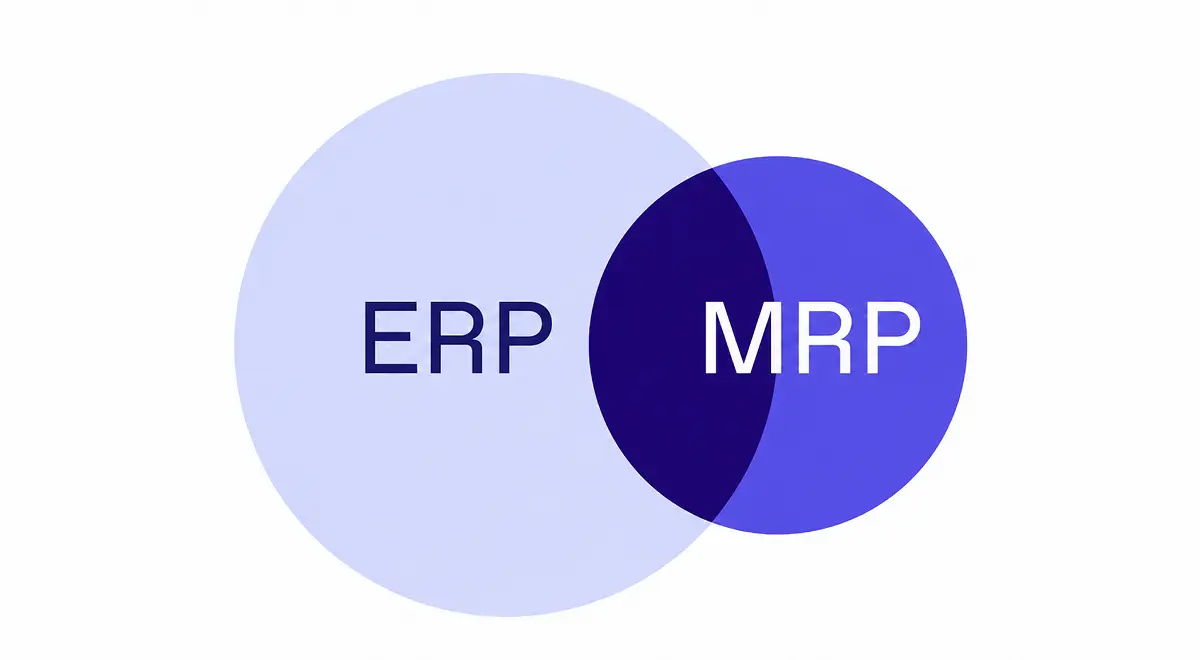
ERP and APS are not competing categories in the clean, textbook sense. They are usually different layers of the manufacturing software stack.
ERP owns the operational record. APS owns planning logic and scheduling decisions.
The simple version: ERP tells the business what exists and what has happened. APS helps planners decide what should happen next.
That split makes sense when the ERP cannot schedule well enough. But it also creates a problem. The APS tool is only as good as the ERP data feeding it, and the ERP is only useful if it receives the planning decisions back quickly enough for purchasing, production, quality, and logistics to act.
If the connection is weak, the planner gets another system to manage instead of less work.
Manufacturers usually start looking at standalone APS software when planning has become too dependent on one person's spreadsheet, memory, and patience.
The weekly production plan takes too long to build because the planner has to export ERP data, clean it, adjust priorities by hand, and send the schedule around by email or chat. When a supplier slips or a customer changes an order, the file has to be rebuilt. Production supervisors may already be working from yesterday's version, while purchasing only sees the new priority once someone explains why the material plan changed.
That is expensive, but the real cost is not the spreadsheet. The real cost is that the team makes decisions on a plan everyone knows may be wrong, which is exactly the kind of hidden operational cost covered in Bonx's guide to what ERP actually costs.
Standalone APS software tries to fix that by giving planners better tools for finite capacity planning, production sequencing, scenario planning, bottleneck detection, what-if analysis, setup and changeover reduction, labor or machine assignment, delivery promise checks, and schedule adjustment when constraints change.
For manufacturers with complex capacity constraints, high order variability, tight delivery windows, or expensive downtime, APS software can be valuable. It gives planners a more serious way to test options before committing the factory.
You may need both systems if your ERP is the right place to run the business, but not strong enough to plan production realistically.
That happens when the ERP is the right system of record, but the planning work has outgrown what its manufacturing layer can handle. Your ERP may be finance-centered, with manufacturing features that store work orders but do not help the team schedule them. Your production constraints may be too specific for the ERP's planning logic. You may have many machines, lines, subcontractors, shifts, changeovers, or routing alternatives. You may need planners to run scenarios before accepting demand, changing priorities, or committing to a delivery date.
In those situations, APS software can sit on top of ERP. The ERP provides demand, orders, stock, routings, and purchasing data. The APS tool builds the schedule. The approved plan then flows back into the ERP so manufacturing orders, material needs, and shop floor priorities can move.
That architecture can work when the integration is strong and ownership is clear.
It breaks when the two systems disagree. If stock is blocked in ERP but available in APS, the schedule is unsafe. If APS reprioritizes a production order but purchasing does not see the new material need, the plan is theoretical. If operators update progress in a shop floor tool but APS keeps planning from yesterday's status, the planner is back to manual checks.
Two systems can be better than one weak system. Two systems can also mean two versions of the truth, which brings us to the real cost of separating planning from execution.
The risk in APS vs. ERP is not that both tools exist. The risk is that planning and execution become separate worlds.
Most manufacturers already know this from experience. A planning system can produce a schedule that looks coherent, but if the data behind it is late, partial, or cleaned up by hand, the schedule becomes another version of reality to manage.
Planning data has to stay operational. If APS receives demand once a day, it may miss a customer priority change. If inventory syncs late, it may schedule around stock that has already been reserved or blocked. If production progress comes back too slowly, it may plan work on a machine that is still busy. If quality status does not flow into planning, the schedule may depend on material the team is not allowed to use.
That is when the integration burden becomes operational work. Someone checks whether APS and ERP agree. Someone asks the floor what is really finished. Someone tells purchasing that the plan changed. Someone keeps the spreadsheet because the two official systems still need interpretation.
The better buying test is not "does this vendor have APS?" It is whether the system keeps planning, production, purchasing, inventory, quality, and logistics acting on the same operational truth.
If the answer is no, APS software may improve the schedule while leaving the team to reconcile everything around it.
APS software became necessary because legacy ERPs were built mainly as systems of record, not systems that could act on live manufacturing constraints. They stored demand, stock, orders, bills of materials, routings, and transactions, then expected people to interpret that information and push the next step forward. MRP helped with material calculations, but planners still carried the living part of the plan: capacity tradeoffs, urgency, exceptions, sequence changes, and all the context that does not fit neatly into a static run.
That model is starting to look old.
At Bonx, we believe an AI-native ERP should not force manufacturers to choose between a record system and a planning brain. If the ERP already holds demand, stock, capacity, production status, quality status, supplier information, and business rules, it should be able to act on that context: generate manufacturing orders, prepare procurement suggestions, adjust priorities, surface exceptions, and ask for approval when the tradeoff needs human judgment.
That does not mean Bonx replaces a full solver-based APS for every finite-capacity planning problem. However, Bonx can help teams turn sales plans into production and procurement plans, bring existing Excel or Google Sheets sales planning into the ERP on a recurring basis, detect planning parameters that are missing or stale, and let users create AI validation rules that check a plan against known constraints.
That approach can deliver much of the planning value with far less setup effort than a true APS. It will not scale as far as a specialized APS vendor that has spent years building mathematical solvers, and that is an important boundary to name. It changes the APS vs. ERP question: the old model asks which extra tool you need because the ERP cannot carry planning; the AI-era question asks how much planning work the ERP can carry before a true APS becomes necessary.
Bonx is an AI-native manufacturing ERP built around that belief. It is a strong fit for manufacturers that need planning, production, purchasing, inventory, quality, traceability, and logistics to work in the same operational system, instead of adding another planning layer that still has to be reconciled by hand.
As a system of action, Bonx can, when configured to do so, generate manufacturing orders, prepare procurement suggestions, assign production work, prioritize stock, surface exceptions for human approval, and keep routine operational work moving inside the ERP.
For planning, the schedule is only useful if the surrounding work follows it. In Bonx, a production plan can change purchasing needs, a quality hold can change what gets scheduled, a supplier delay can surface the affected orders, and a finished operation can update stock and logistics without waiting for someone to rebuild the plan.
Customer operations show what this looks like in practice.
Food manufacturer L'Atelier du Ferment connected production planning, batch traceability, Sidely, and Pennylane with Bonx. Bonx helps the team generate manufacturing orders and procurement suggestions based on sales, shelf life, and cold storage capacity, while tracking more than 100,000 bottles from fermentation to storage.
Additive manufacturer Something Added deployed Bonx in two months with a native integration to HP 3D printers. Bonx groups orders, generates manufacturing orders, assigns jobs to machines based on industrial rules, and supports 24/7 production with more than 10,000 parts produced each month.
Textile manufacturer LCS replaced paper work orders with real-time production tracking across five workshops. Manufacturing orders are generated from confirmed quotes, each order is linked to a QR code scanned at every production stage, and LCS cut production errors by 95% while reducing paper usage by 90%.
Bonx also has dedicated production orchestration and scheduling capabilities for manufacturers that want production orders to launch and adjust based on operational rules, with exceptions surfaced for review.
This is why the old APS vs. ERP decision can become less useful, but not disappear. If the ERP records the work but cannot act on planning constraints, APS may be necessary. If the ERP is AI-native, connected to the operating flow, and able to launch or adjust work under supervision, you can solve more of the planning problem inside the same system before reaching for a full APS.
Buy APS software if the planning logic you need cannot live in the operational system you already trust, not just because the acronym has appeared in your ERP conversations. That is especially true when you need deep finite-capacity planning, solver-based scheduling, or workforce scheduling logic your ERP cannot model. The integration also has to be strong enough to keep ERP, APS, and the shop floor aligned, with live enough data for planning decisions to matter, clear ownership when APS and ERP disagree, and a path for schedule changes to reach purchasing, production, quality, and logistics without manual reconstruction.
But do not accept the split as inevitable. Manufacturers should expect more from ERP now. Long-term planning should not be a weekly spreadsheet ceremony, and scheduling should not become a separate planning brain that needs constant reconciliation. The system that holds demand, stock, capacity, production status, quality, and supplier constraints should be able to act on more of them.
That is the standard for ERP built for the AI era. Bonx acts because manufacturing teams should not have to carry routine planning work their ERP is capable of doing, while still recognizing when a specialized APS is the right tool.
APS stands for advanced planning and scheduling. APS software helps manufacturers plan and schedule production around real constraints, including materials, capacity, machines, labor, lead times, changeovers, quality status, and delivery priorities.
ERP connects the broader business and operational record: orders, inventory, purchasing, production, quality, traceability, logistics, and finance handoffs. APS software focuses on planning and scheduling, using demand, stock, capacity, and constraint data to create a feasible production plan. In modern manufacturing systems, that boundary can be less rigid because ERP can include MRP2-style planning, scheduling, and system-of-action capabilities.
No. Material requirements planning (MRP) focuses on what materials are needed based on demand, bills of materials, stock, and lead times. APS goes further into scheduling, capacity, sequencing, scenario planning, and constraint management.
Some do. If the ERP stores production data but cannot build realistic schedules around finite capacity and live constraints, APS software can help. But an operations-centered ERP like Bonx can reduce the need for a separate APS layer by keeping planning, production, purchasing, inventory, quality, and logistics in the same operational system, especially for MRP2-style planning and machine scheduling.
Yes. Some manufacturing ERPs include planning and scheduling features that reduce or remove the need for standalone APS software. In an AI-native ERP, the system should go further by acting on planning signals, generating work, preparing procurement suggestions, checking plans against known constraints, and surfacing exceptions for human approval when needed.
Consider standalone APS software when production scheduling is complex enough that ERP planning cannot handle it: many constraints, frequent changes, finite capacity bottlenecks, expensive downtime, tight delivery windows, or scenario planning needs that the ERP cannot support. Before buying, test the integration between APS, ERP, and shop floor execution.


Contact us
So were we. That's why we built Bonx, the AI-native manufacturing ERP.