BOM management: why bad product data breaks production
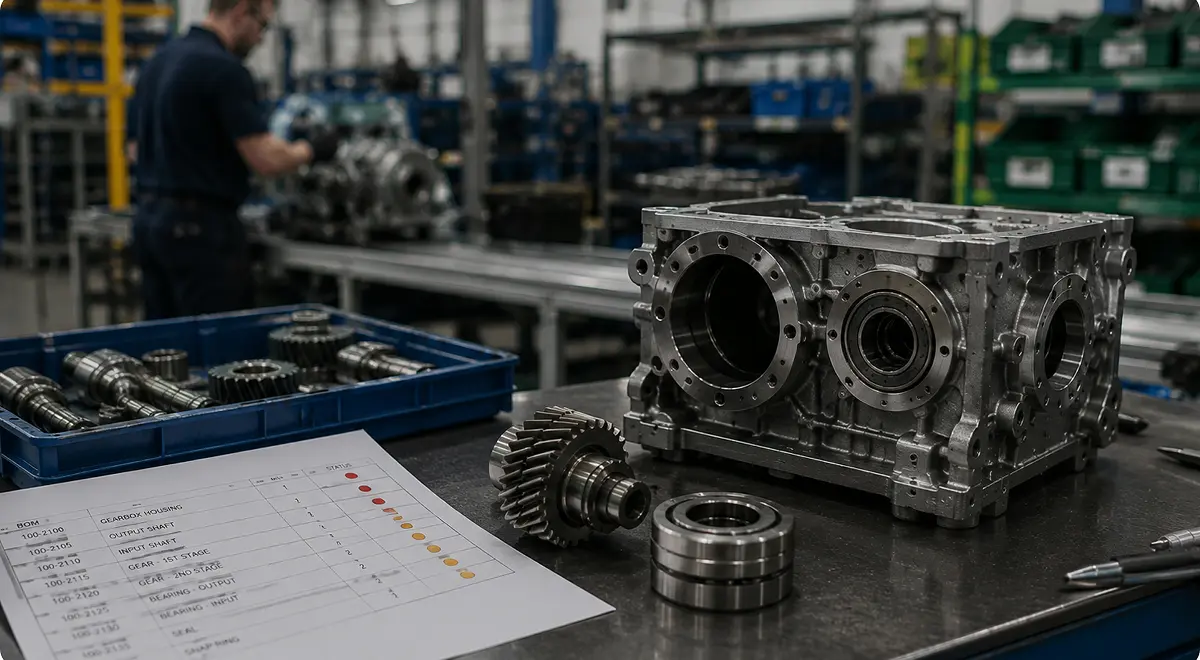
Bill of materials software is often treated like a place to simply store product structure, but it’s more than that. The bill of materials (BOM) touches so much of the operation that poor management can affect nearly every downstream system.
For example, a BOM error can quickly turn into bad material requirements, then an incorrect purchase order, a stock shortage (or excess), a production delay, and eventually a cost variance someone has to explain after the order is already late.
That’s why BOM management is not just admin hygiene, but rather one of the places where manufacturing either stays connected or quietly falls apart. This article looks at the complexity of BOM and what, given that complexity, manufacturers should expect from BOM management and BOM software.
A single-level BOM is easy to picture: one finished product, a list of the materials and components that go into it. But of course, most growing manufacturers use multilevel BOMs, where the finished product depends on subassemblies, intermediate goods, semi-finished batches, packaging kits, or recipes that have their own BOMs underneath.
Multilevel BOMs are incredibly useful because they reflect how production actually works. The problem, of course, is that multilevel BOM errors compound even more quickly than single-level BOMs.
If a subassembly has the wrong quantity, every parent item using that subassembly inherits the error. If a semi-finished product changes version but the parent BOM is not updated, production may run the wrong structure without anyone noticing until stock, cost, or quality fails. If the same component appears across several product families, a bad substitution rule can affect more orders than the team expected.
This is where spreadsheet BOM management really starts to break, which brings us to the next section.
Spreadsheets survive in BOM management for the same reason they survive in planning: they are fast, flexible, and familiar. On the other hand, while a spreadsheet can store rows, it is much weaker at showing where one change travels, which production orders are affected, which stock should be reclassified, which customer orders depend on a version, and whether the change should apply now, after existing orders, or only for a future launch.
The real problem starts when the spreadsheet becomes the operating truth while the ERP becomes the “official” truth. At that point, the team has two versions of the product, where the spreadsheet knows what people actually make, and the ERP or MRP system knows what purchasing, stock, costing, and manufacturing orders are allowed to see. Someone has to keep both versions aligned.
The risk goes beyond someone forgetting to update a line. The deeper risk is that the BOM stops being connected to the events that should change it:
If those changes live in messages, files, or memory, the BOM may be technically maintained and operationally stale.
This is the kind of operational gap Bonx is meant to close. Bonx is an AI-native manufacturing ERP that connects order management, inventory, purchasing and supplier management, planning, production, quality, traceability, and logistics in one operational system. For BOM management, that means the product structure is not isolated from the work it triggers. It can stay connected to procurement needs, manufacturing orders, stock consumption, quality status, and delivery risk.
At L'Atelier du Ferment, a fast-growing food manufacturer whose volumes were doubling every year across four workshops, Bonx connected production planning, purchasing, stock, cold storage constraints, and batch traceability while supporting more than 100,000 bottles tracked from fermentation to storage. Bonx helps generate manufacturing orders and procurement suggestions based on sales, shelf life, and cold storage capacity. That is the kind of operating context a live BOM needs: product structure, demand, stock, production, and constraints moving together instead of being reconciled after the fact.
Let’s go deeper and see how BOM errors also distort cost. Unfortunately, manufacturers often discover the problem after margin has already moved. The expected cost of a product was calculated from one component quantity, one yield assumption, one packaging setup, or one route. Production then used more material, took longer, or needed a different component, but the costing layer did not learn that in time.
That creates two bad outcomes:
Costing needs a BOM that reflects production reality. If actual consumption, scrap, substitutions, and version changes never feed back into the operational system, the BOM becomes a cost fiction. The team may still close the month, but they will not really know which products are profitable under current conditions.
For manufacturers with many variants, this gets worse quickly. A small material change across 50 variants can shift purchasing needs and margins. A packaging change for one channel can create a different cost structure than the same product sold elsewhere. A customer-specific BOM can protect the promise, but only if purchasing, production, quality, and costing all work from the same version.
Good BOM management software should do more than store a clean item list. It should keep product structure connected to the work that depends on it.
At minimum, manufacturers should expect bill of materials software to support:
The last point is critical. A BOM should not be frozen because change is dangerous; rather, it should be controlled so the team can change it without breaking the operation.
Bottom line: when evaluating BOM management tools and software, ask: can the system tell the team what is in the product, where that structure is used, what changes when a line changes, and which production, purchasing, inventory, quality, and cost consequences follow If the answer is no, the system may be storing BOMs, but people are still managing them by hand.
BOM management sits upstream of several systems manufacturers often discuss separately. This interconnectivity is exactly why the BOM should not live as a separate master-data island:
For a concrete example, at LCS, a textile customization manufacturer running five production workshops, Bonx replaced paper work orders with real-time production tracking, cutting production errors by 95% and paper usage by 90%. That proof point matters here because BOM management does not end when the product structure is approved. The right components, production stages, quantities, and statuses have to stay connected while work moves through the factory.
For the same reason, BOM management belongs close to production orchestration and scheduling. Bonx's production orchestration capabilities are built around rule-based production launching, automatic adjustment based on constraints, and exception-based validation. That only works when product structure, demand, stock, and production rules are connected closely enough for the system to act safely.
The broader point is not that software should make BOM changes casual. It should make them safer. If the BOM drives procurement, manufacturing orders, stock consumption, quality checks, traceability, and delivery risk, then the BOM has to live in the same operating context as those decisions.
BOM management is the process of creating, maintaining, approving, versioning, and using bills of materials across purchasing, planning, production, inventory, quality, costing, and traceability. Good BOM management keeps product structure connected to operational work, not trapped in a spreadsheet.
Bill of materials software helps manufacturers manage product structures, components, quantities, units of measure, versions, substitutes, and change history. In manufacturing, it should connect directly to MRP, purchasing, production orders, inventory, quality, costing, and traceability.
A multilevel BOM shows the full product structure across several layers, including subassemblies, semi-finished goods, intermediate batches, kits, or recipes underneath the finished product. Multilevel BOMs help manufacturers plan and produce complex products, but they also make version control and impact analysis more important.
BOM errors break production because the BOM feeds downstream decisions. A wrong quantity, missing component, wrong unit of measure, stale version, or missing substitute rule can create bad MRP suggestions, purchase shortages, production delays, cost variance, quality risk, and missed delivery dates.
Spreadsheets can work when product complexity is low and a small team understands every exception. They become risky when BOMs need version control, multilevel structures, approved substitutes, customer-specific rules, quality links, traceability, cost control, and live connection to production.
Manufacturers should look for BOM software that supports multilevel BOMs, version control, effective dates, change history, substitute components, unit controls, routing and quality links, impact analysis, and direct connection to MRP, purchasing, manufacturing orders, inventory, costing, and traceability.
MRP uses the BOM to calculate what materials and production orders are needed. If the BOM is incomplete, stale, or wrong, MRP will produce the wrong recommendations. That is why BOM management and MRP should live close to the same operational data.


Contact us
So were we. That's why we built Bonx, the AI-native manufacturing ERP.