ERP for the personalization industry
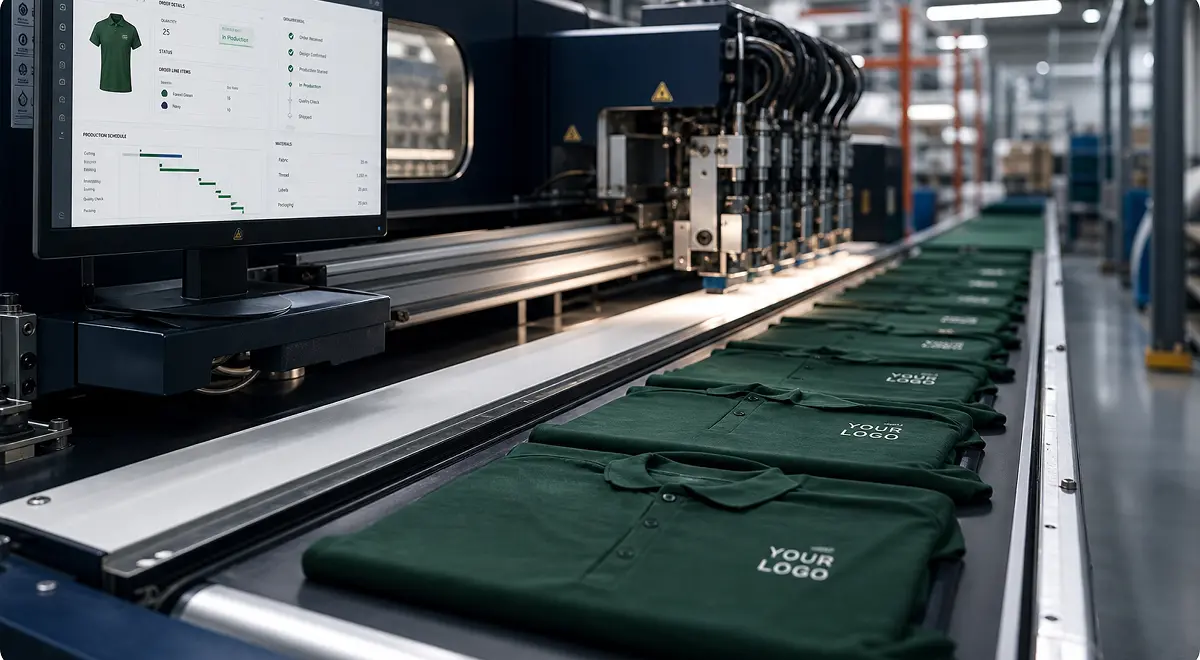
A personalized order looks simple in the commercial system. One line item, one price, one delivery date.
In production, that same order is a bundle of decisions: customer artwork, proof approval, material choice, colors, routing, machine constraints, traceability, and sometimes a revision five minutes before launch.
That gap is where standard enterprise resource planning (ERP) systems start to hurt.
If you produce decorated textiles, custom jewelry, printed objects, engraved products, 3D-printed components, or any product that requires customer validation before production, the ERP question is not just whether the system can manage manufacturing. It is whether the system can manage manufacturing when every order is partly unique.
This article looks at what makes personalization different, where traditional ERP systems struggle, and what to check before choosing a system for a business built around custom orders.
Personalization is often described as a customer experience problem. The buyer wants a name embroidered, a logo printed, a jewel configured, a product color changed, or a design adapted to their use case. From the outside, that sounds like sales complexity.
Inside the factory, it is production complexity.
Every personalized order carries information that standard manufacturing does not always need to carry at order level. The production team needs to know which design was approved, which file version is valid, which color must match the customer expectation, which material can be substituted, which machine can run the job, which operator needs the instructions, and which traceability data must be kept.
The finished product may start from a standard base, but the work order is not standard. A hoodie is not just a hoodie once it has a logo placement, embroidery thread, size breakdown, proof approval, delivery date, and packaging requirement attached to it. A ring is not just a ring once the stone, metal, engraving, CAD file, workshop steps, and client appointment history have to move together.
Your ERP has to understand that difference.
A good ERP for personalization should treat proof approval as part of the operational flow. The order should not move into production until the right information is approved, attached, and visible to the people doing the work. Sales should not have to ask the workshop whether the proof was received. Production should not have to search email threads to find the file. Finance should not invoice against a version nobody can trace.
When approval is disconnected from production, personalization becomes fragile. When approval is part of the ERP flow, the business gets control without adding another layer of coordination.
Traditional ERP logic works best when products are stable. The system likes defined bills of materials, fixed routings, predictable lead times, and repeatable stock movements.
Personalization bends that model every day.
One order may need embroidery, another digital printing, another laser engraving, another finishing step handled by a subcontractor. The same base product may carry different artwork, different packaging, different quality checks, and different delivery promises. Small changes matter because they change margin, workload, machine planning, and risk.
The trap is trying to model every possible variant as if the business were static. That quickly turns into an ugly product tree nobody trusts. The reverse is just as bad: keep the ERP simple, and the real details move into spreadsheets, operator notes, calendar comments, and the memory of the one person who knows how this customer likes things done.
Personalization needs an ERP that can carry structured data where precision matters and flexible operational instructions where the order needs context. The system has to give production enough detail to act, without forcing the business to predefine every possible version of reality.
In a standard manufacturing environment, customer communication and production can feel like separate worlds. Sales owns the customer. The factory owns the work order.
In personalization, that boundary is much thinner.
The customer may need to approve a proof, answer a technical question, confirm a delivery date, validate a quote change, or ask where the order stands. If those exchanges are not tied to the operational record, the team loses time and confidence. Sales asks production for updates. Production asks sales which version was approved. The customer waits while the company reconstructs its own truth.
The ERP does not need to replace every customer-facing tool, but it does need to connect the commercial promise to the production reality. The order should carry the relevant context from quote to proof, from proof to manufacturing order, and from manufacturing order to delivery and invoice.
That is especially important when customers reorder. Personalization businesses often win repeat work because the customer trusts the result. The second order should not require the team to rediscover the first one: files, colors, technical notes, production choices, quality issues, and delivery preferences should already be usable.
Repeatability is not the opposite of personalization. It is what makes personalization profitable.
Traditional ERP systems tend to force personalization businesses into one of two bad choices.
The first choice is rigidity. The company spends months modeling workflows, exceptions, variants, approvals, fields, and reports. Consultants configure the system. The team waits. By go-live, the business has changed, the product mix has changed, and the workshop has already found ways to keep moving outside the project.
The second choice is workarounds. The ERP covers the clean part of the process: order, stock, manufacturing, delivery, invoice. Everything that makes the order personal lives somewhere else. Artwork approvals sit in email. CAD files sit in shared folders. Production notes sit in spreadsheets. Customer-specific rules sit in people's heads.
Both choices are expensive.
Rigidity slows the business down. Workarounds make the business hard to control. In both cases, the ERP stops being the system where work happens and becomes a record that people update after the real decisions have already been made.
This is why the personalization industry exposes weak ERP design so quickly. A manufacturer with stable repeat production can sometimes survive a rigid system for years. A personalization business feels the pain faster because the exceptions are not edge cases. They are the business model.
The right ERP for personalization should be judged by how it handles the messy, valuable part of the business: proofs, files, variants, customer rules, and last-minute changes.
Before choosing a system, ask the questions that map to daily work:
The last question matters more than it sounds. Personalization creates a lot of routine operational decisions: checking proof status, generating manufacturing orders, assigning work, buying material, grouping jobs, warning the team about missing information, and keeping customers updated.
If the ERP only stores those decisions after humans make them, it will not remove enough burden from the team.
Bonx is an AI-native manufacturing ERP. For personalization businesses, Bonx works well because it connects the commercial layer to production, adapts as processes change, and moves routine operational work into the system instead of leaving it scattered across spreadsheets, inboxes, and shared folders.
That matters in personalization because the system has to follow the order from customer intent to approved proof, production, traceability, delivery, and finance. It also has to change without turning every new option, approval step, or workshop rule into a consulting project.
The proof is already visible in customer deployments:
Something Added deployed Bonx in two months with a native integration to HP 3D printers. The company produces 3D-printed components for performance footwear, where multiple orders have to be grouped into print jobs and each produced part has to stay linked to the right customer. With Bonx, orders are grouped automatically, manufacturing orders are generated, and jobs are assigned to machines based on industrial rules. The factory now runs 24/7 and produces more than 10,000 parts each month with a lean team.
Custom jewelry house Amantys uses Bonx to connect sales, workshop, and finance across highly personalized orders. Before Bonx, production tracking depended on Google Sheets, Dropbox, shared calendars, and a repurposed invoicing tool. With Bonx, each custom order creates a complete work order with metal, diamond, technical characteristics, workshop instructions, and deadlines. The system also supports traceability requirements and connects HubSpot with Pennylane, so the team can scale across boutiques without losing the client experience.
Textile customization atelier LCS replaced paper work orders with real-time production tracking across five workshops. A single order can move through heat transfer, screen printing, embroidery, digital finishing, and sewing, with each handoff affecting the final deadline. With Bonx, manufacturing orders are generated automatically from confirmed quotes, each order is linked to a QR code scanned at every production stage, and clients can see status updates without pulling the team away from the floor. LCS cut production errors by 95%, reduced paper usage by 90%, and recovered a full day on average lead time.
These examples are different industries, but the pattern is the same. Personalization needs an ERP that can absorb variation without losing control.
Do not choose an ERP for personalization by asking whether it can manage products, orders, stock, and invoices. That is the baseline. Ask whether it can manage the thing that makes the business hard: customer-specific production data moving through a real factory.
The system should know which proof was approved. It should carry the right files and instructions. It should connect sales to production without re-entry. It should let the team adapt the process as the business learns. It should help people act during the day, not ask them to clean up the database at the end of it.
Personalization is not normal manufacturing with decoration added at the end. It is a different operating model, where customer promise and production execution are tied together from the start. Choose the ERP that treats that as the core workflow, not the exception.
Personalization means producing goods with customer-specific requirements. That can include artwork, engraving, embroidery, 3D-printed geometry, materials, colors, sizing, packaging, or technical instructions. The product may start from a standard base, but the production order carries unique information.
Personalization businesses need an ERP that can manage order-specific production data, proof approvals, files, variants, customer communication, and traceability. Standard ERP systems often handle the clean manufacturing flow but push the custom details into spreadsheets, email, and shared folders.
Proof approval is the customer validation step before production starts. It confirms that the design, file, technical specification, or production-ready version is correct. In personalization, it should be treated as a production gate, not a separate customer service task.
A traditional ERP can work if the business has limited variation and accepts heavy configuration. The problem appears when customer-specific rules, files, approvals, and variants change often. At that point, rigid systems tend to create workarounds outside the ERP.
An ERP for personalization should connect the customer relationship management system, quote and approval flow, production orders, files, stock, purchasing, logistics, finance, and any relevant machines or design tools. The goal is to keep the order's commercial and production context together.


Contact us
So were we. That's why we built Bonx, the AI-native manufacturing ERP.